

An Unreliable Dreamer
slowcorePatience is a virtual.
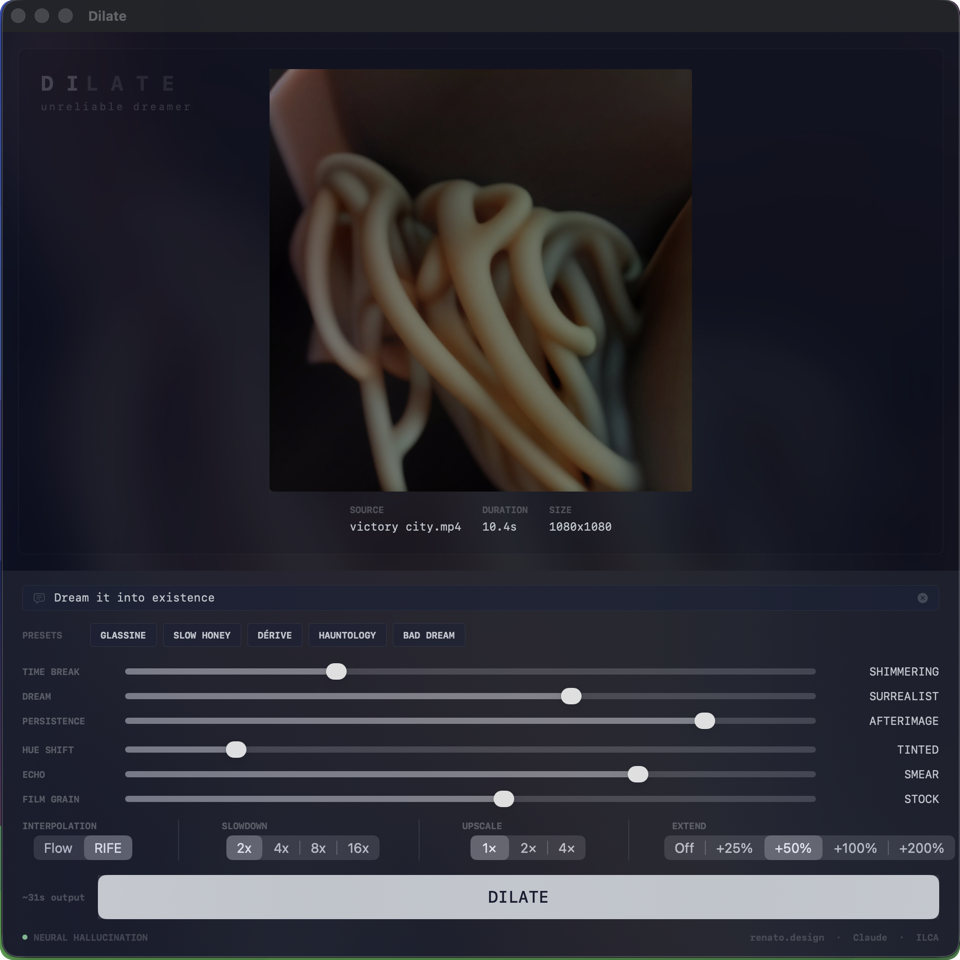
Dilate is kind of a time-dilation machine for video. Drop a clip in, set the dials, walk away — this is not a realtime instrument. Come back to something between pristine slow-motion and temporal delirium — and every gradient between. Ten seconds becomes eighty, clarity becomes mixed with the subconscious of an LLM.
Depending on your settings, you might come back to something you don't recognize.
Dream-tail extrapolation, diffusion-based hallucinations after your party ended. Mixed with the other settings, transform and extend it into time you never had.
Reset your expectations.
Five equalizer-style presets span the slider space, named after territory you might want to wander into. Tap one, tweak from there.
Dilate accepts non-video too. Flip on nerd mode in preferences and the drop zone learns four new shapes of source.
The action row adapts automatically. Drop a video and you see SLOWDOWN and EXTEND. Drop a still and those swap to DURATION (3s to 30s) and FRAME RATE (12, 24, or 30 fps) — because there's no motion to slow down and no end to extend past. The controls change to match the source.
Video dilation. The source becomes something between memory and hallucination.
Still image dreaming forward. The model invents what comes next.
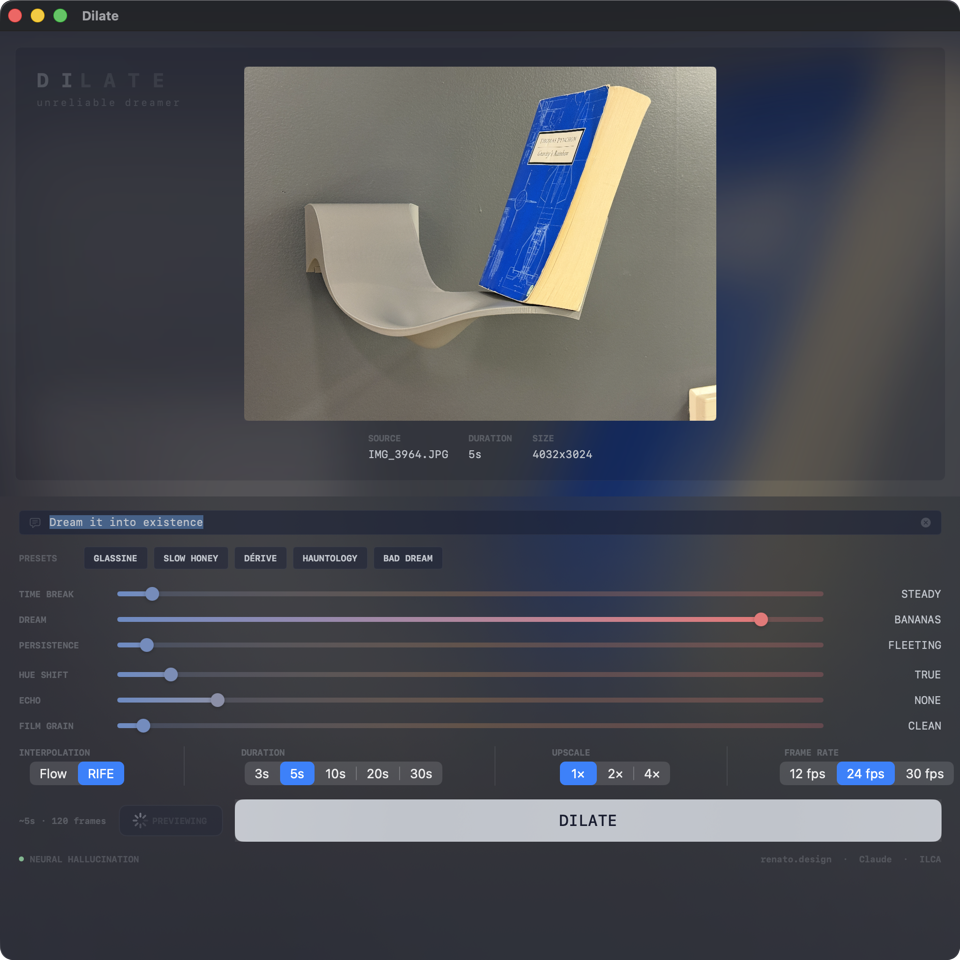
Still image mode. SLOWDOWN and EXTEND swap to DURATION and FRAME RATE. Time Break dims out — no flow vectors to perturb. Dream at Bananas: the model invents motion.
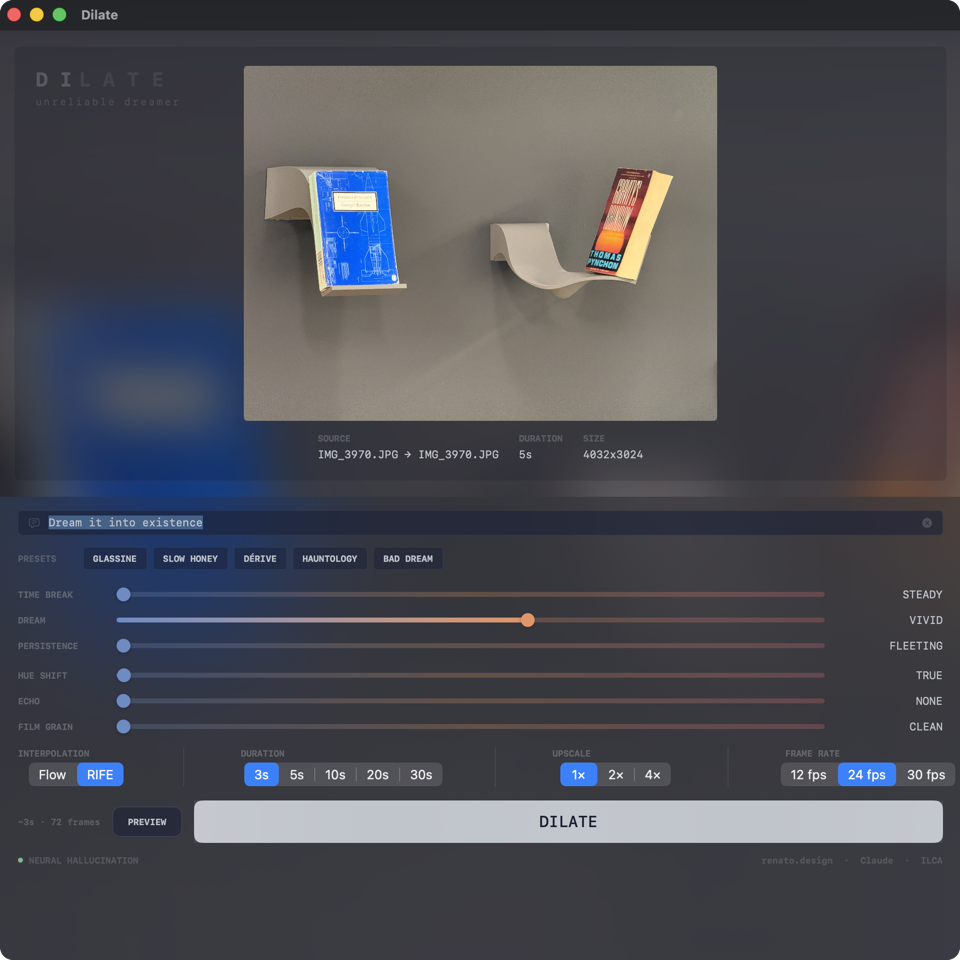
Image pair mode. Two stills, one morph. The model bridges from A to B using diffusion as the in-between.
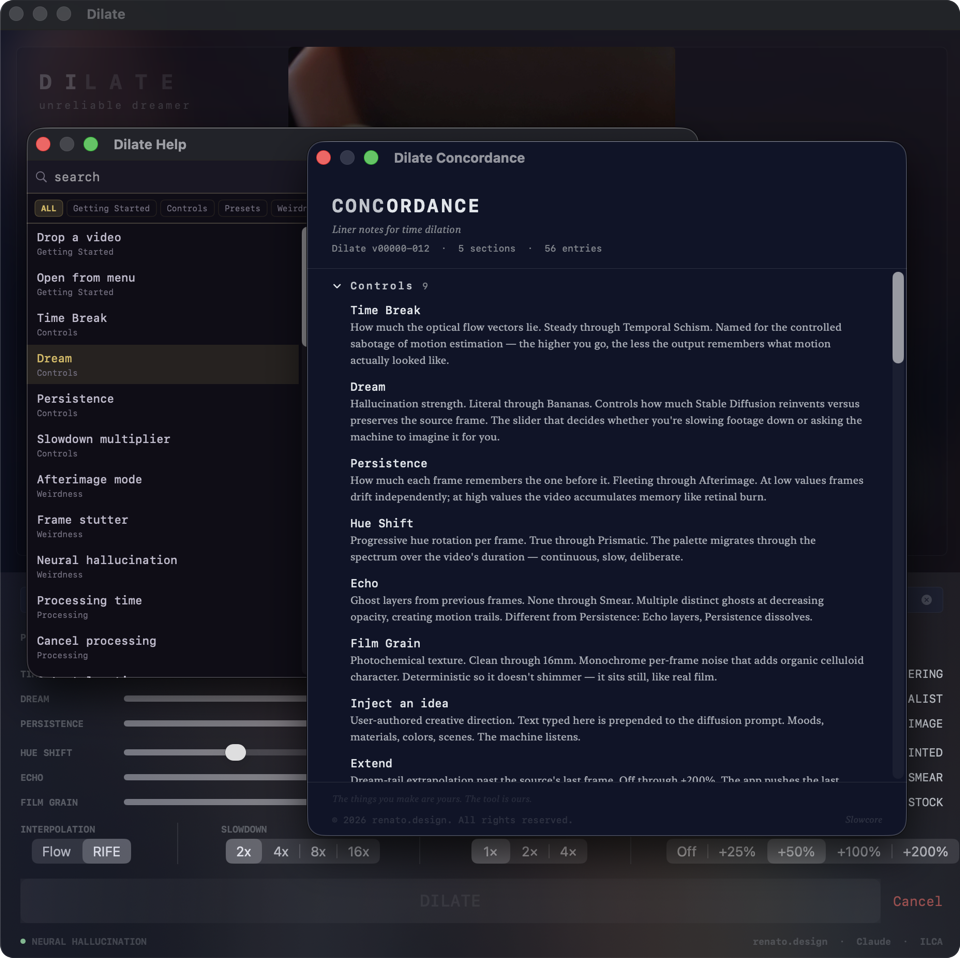
Help and Concordance. Every control documented. Every term defined. Five sections, fifty-odd entries.
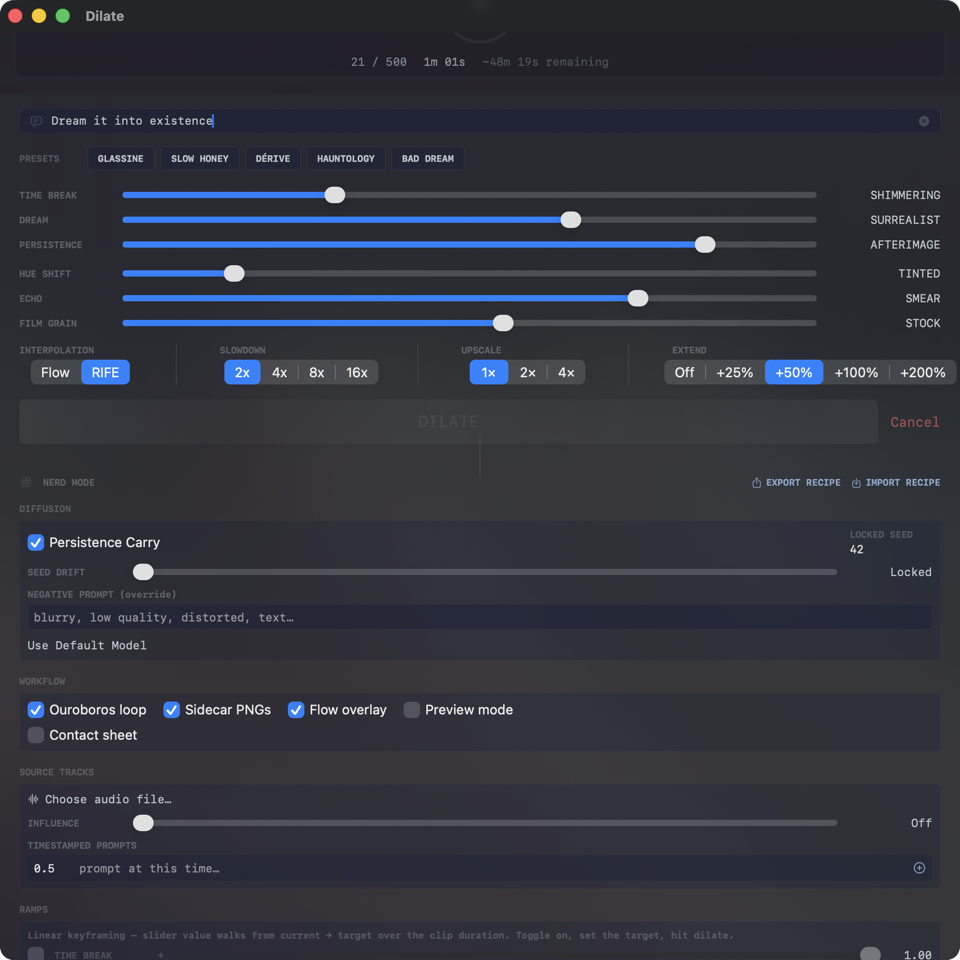
Nerd mode. Scrollable advanced controls beneath the main panel. Ouroboros, sidecar PNGs, flow overlay, slider ramps, timestamped prompts, recipe export.
Time Break. How much the optical flow vectors lie. At Steady the interpolation is faithful; at Temporal Schism the flow field fractures into tearing, stutter, and broken causality. Every slider track runs from cool blue on the left to warm coral on the right — the color tells you how radical the change is before you read the label.
Dream. Hallucination strength. At Literal the frames are pure interpolation. At Vivid and above, Stable Diffusion reimagines each frame steered by your prompt. At Bananas the model is dreaming freely and the source footage is a distant memory.
Persistence. How much each frame remembers the one before it. At Fleeting frames drift alone. At Viscous time moves like honey. Above three quarters the video enters Afterimage mode — bright areas burn and trail like retinal persistence.
Hue Shift, Echo, Film Grain. The secondary seasoning. Continuous hue rotation over the clip, ghost layers from previous frames, photochemical grain that sits still instead of shimmering.
Inject an idea. A text field. Moods, materials, colors, scenes. The machine listens. Your words take priority over the Creative Director's own interpretation of the footage.
Flip the switch in preferences and the main panel grows a scrollable advanced section beneath the action row. Inside: an audio-driven dream that couples the sliders to the amplitude envelope of any track you drop in; a custom CoreML model loader for SDXL and finetunes; a negative prompt override; seed drift; persistence carry; sidecar PNG export; a contact sheet; a flow field overlay for debugging.
Linear ramps for Time Break, Dream, and Persistence — walk each control from current to target across the clip duration. A timestamped prompt track that swaps prompts at given moments and crossfades between them. Recipe export and import as portable files — drop one onto the window to load a configuration captured on another machine, another night, another mood.
A PREVIEW button next to DILATE renders a single hallucinated frame at roughly ten frames into the dilation so you can see what your settings look like before committing. During rendering, the live preview shows the actual hallucinated output instead of the source frame — you watch the dream evolve in real time.
The DILATE button stays alive after a render finishes. Tweak anything, hit it again, and the app pulls the same source from the previous run. No re-drop. Iterate freely.
Processing happens on your machine. No frames leave it. The model runs on your hardware via Ollama and CoreML. Your footage stays your footage.