
Patience is a virtual.
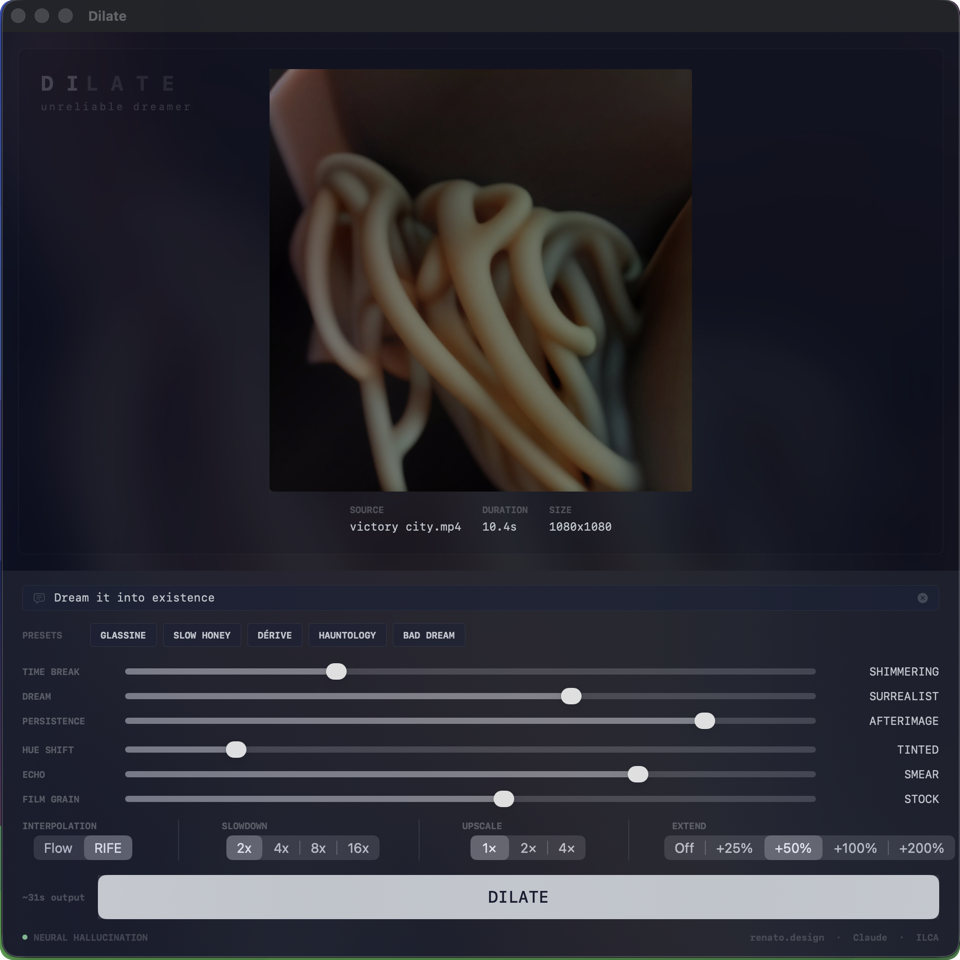
Dilate is a time-dilation machine for video. Drop a clip in, set the dials, walk away - this is not a realtime instrument. Come back to something between pristine slow-motion and temporal delirium, and every gradient between. Clarity becomes mixed with the subconscious of an LLM.
Depending on your settings, you might come back to something you don't recognize. That is not a bug. By default the hallucination stays cinematic - fantastical but filmed, impossible but photographed. Turn Hyperreal off and it forgets what a photograph looks like.
Reset your expectations.
Five presets named after territory you might want to wander into. Tap one, tweak from there.
Dilate accepts more than video. A clip, a single still, two stills, a folder of stills, or nothing at all - type a prompt and the app dreams the entire piece from your words. The interface adapts to what you drop: video gets slowdown and extension controls, stills get duration and frame rate, nothing gets a text field and an act of faith.
Two stills is a diffusion-bridged morph from A to B. A folder of stills is a dreamed sequence, keyframes bridged in pairs. A single still is the strangest - the model treats it as frame one and invents what comes next, feeding each output back through itself with a drifting prompt seed. This is tricky to control. That is part of the appeal.
Video dilation. The source becomes something between memory and hallucination.
Still image dreaming forward. The model invents what comes next.
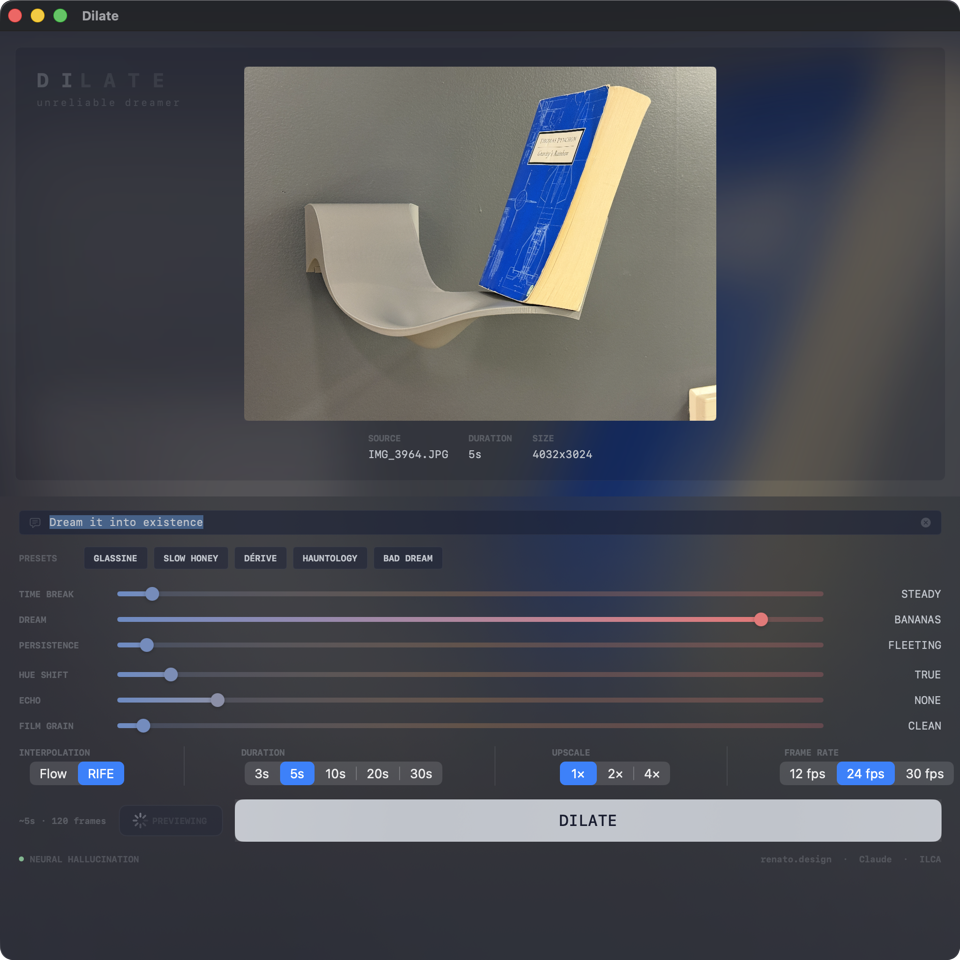
Still image mode. The controls adapt - duration and frame rate replace slowdown and extend. Dream at Bananas.
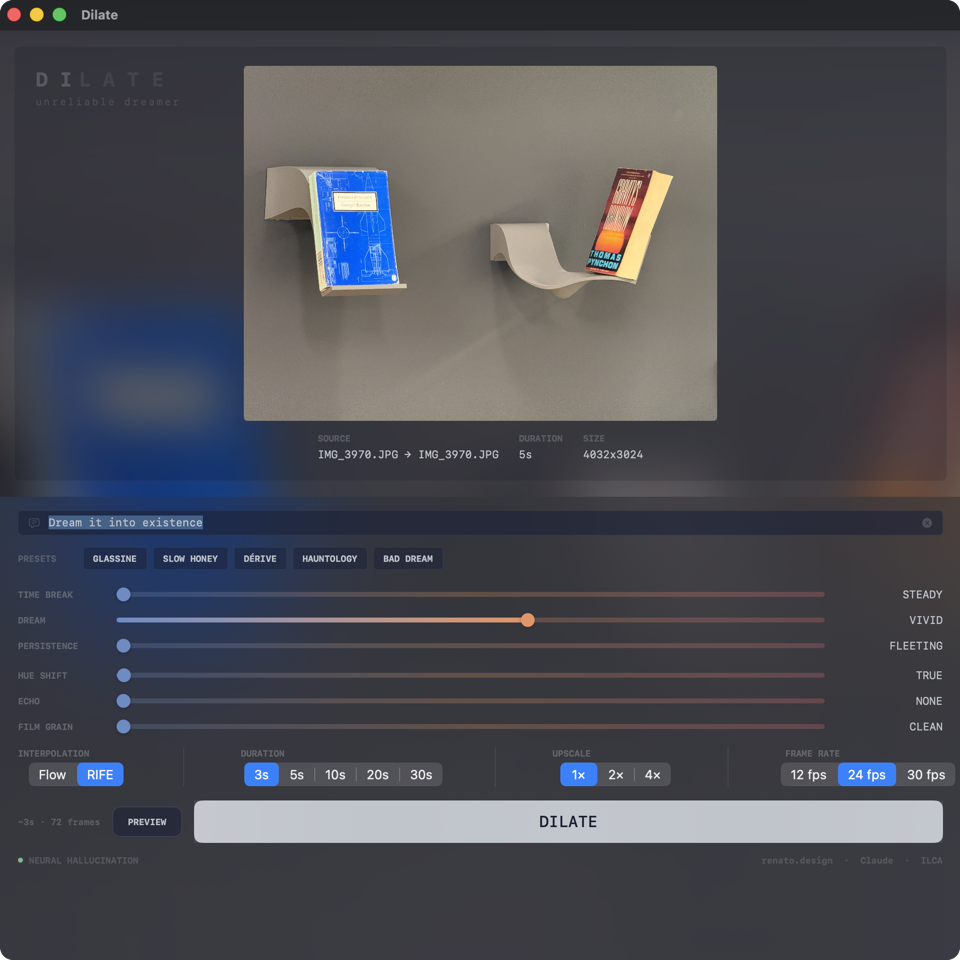
Image pair mode. Two stills, one morph.
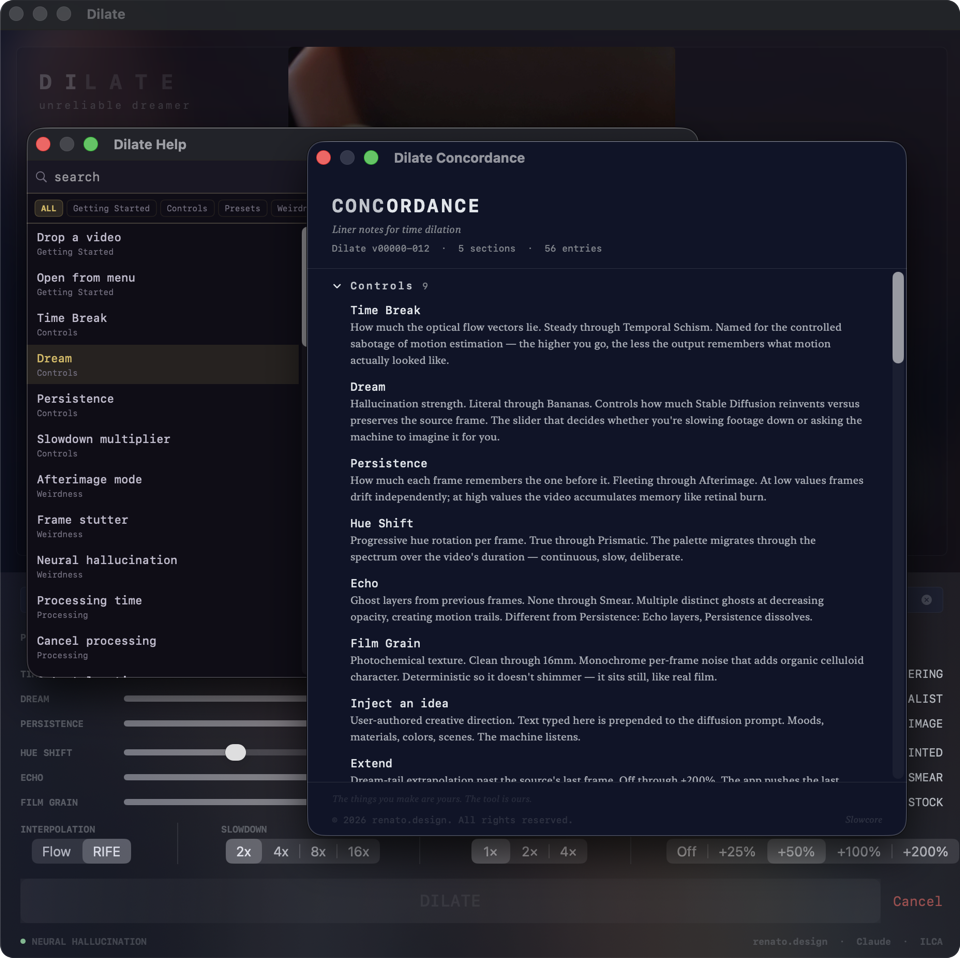
Help and Concordance. Every control documented, every term defined.
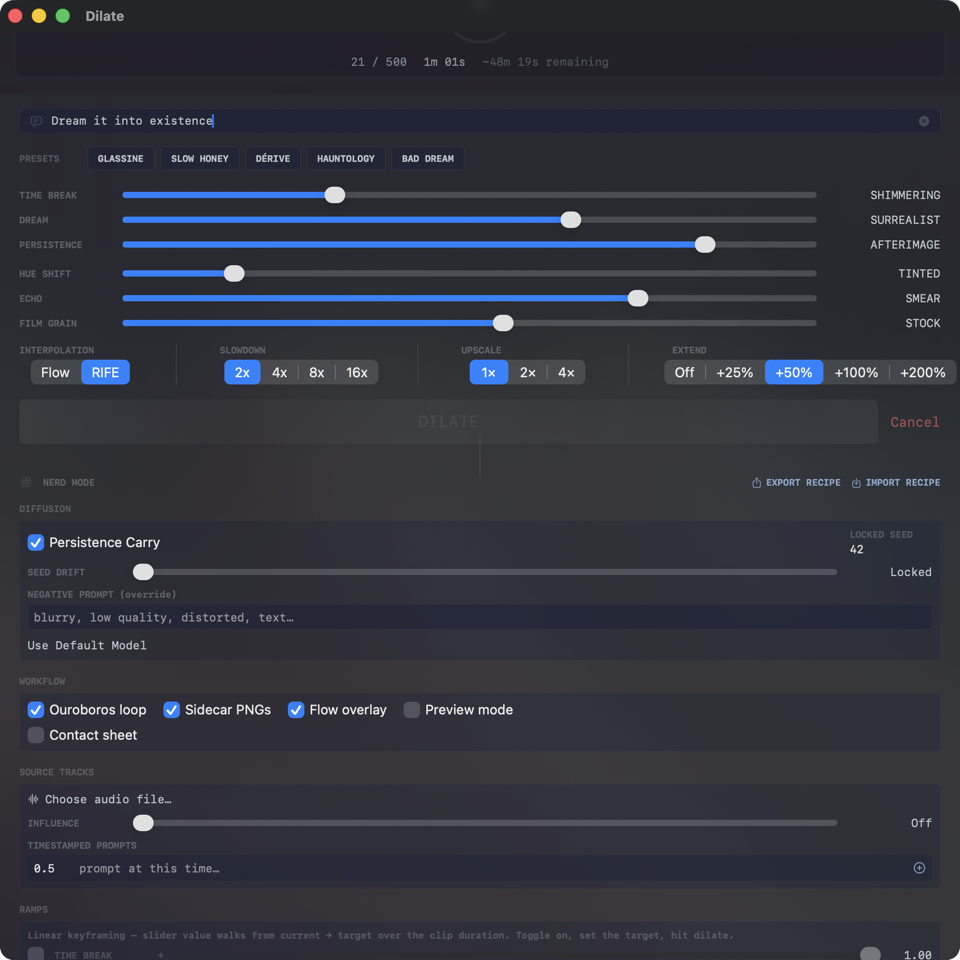
Nerd mode. The advanced controls you didn't know you wanted until you did.
Every pixel stays on your machine. The models run on your hardware. Nothing leaves.