
Fabricated Anthropometric Composite Engine
statistical broadcastIt isn't rendering a face. It's adding up a few dozen real ones, live, and dressing the result up like a haunted television.
bornJuly 15, 2026·currentv00000-005 · live
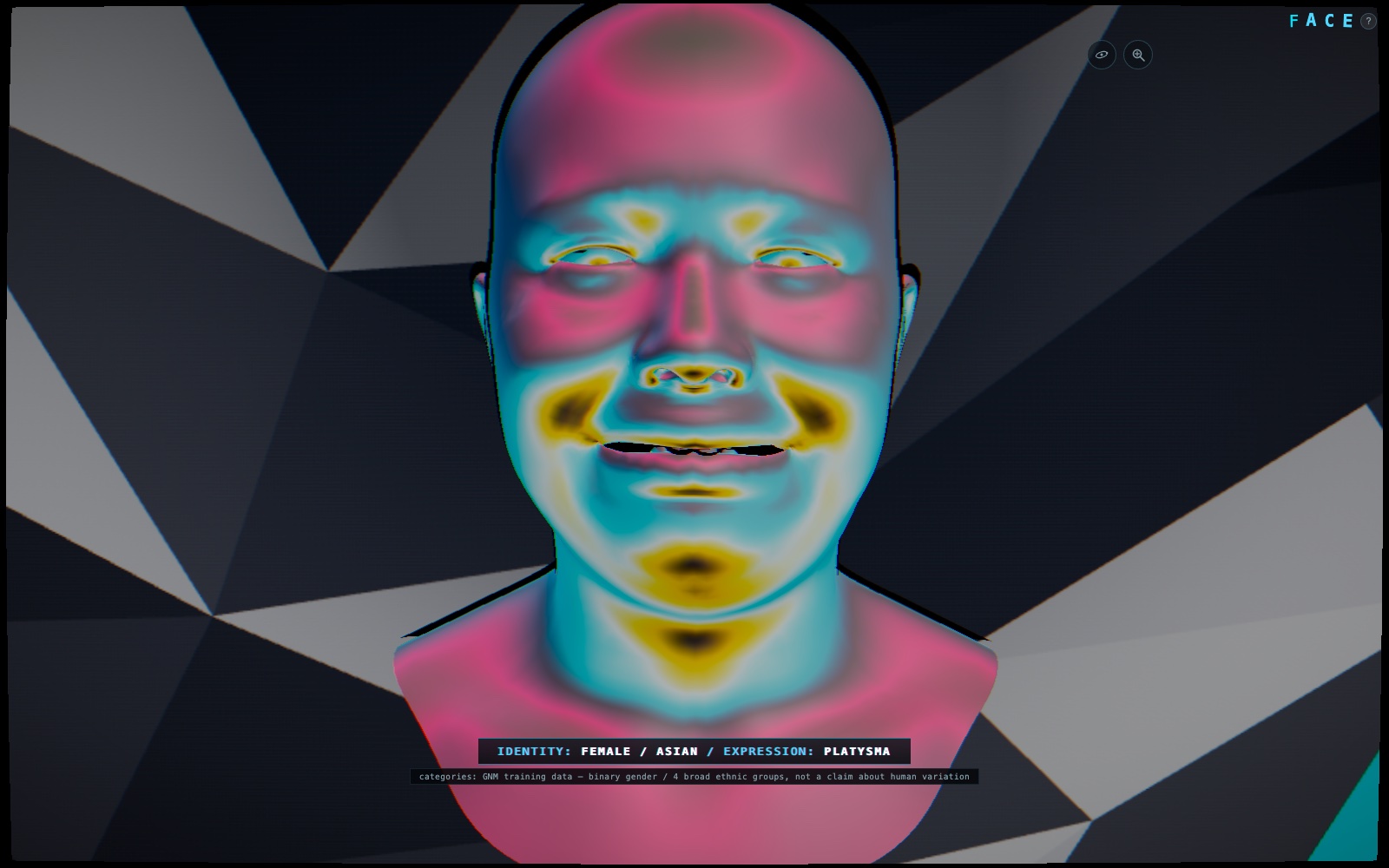
Google publishes a real statistical model of the human head — a few dozen numbers, each one a direction real heads actually vary in, learned off real scans instead of guessed at by an artist. FACE takes that model and turns the dials back on: every face on screen is a live weighted sum of those numbers, assembled and interpolated in the browser. Not a lookup table, not a photo, not a diffusion model hallucinating something plausible — a much older, much more honest kind of generative: add up some real basis vectors and see what falls out.
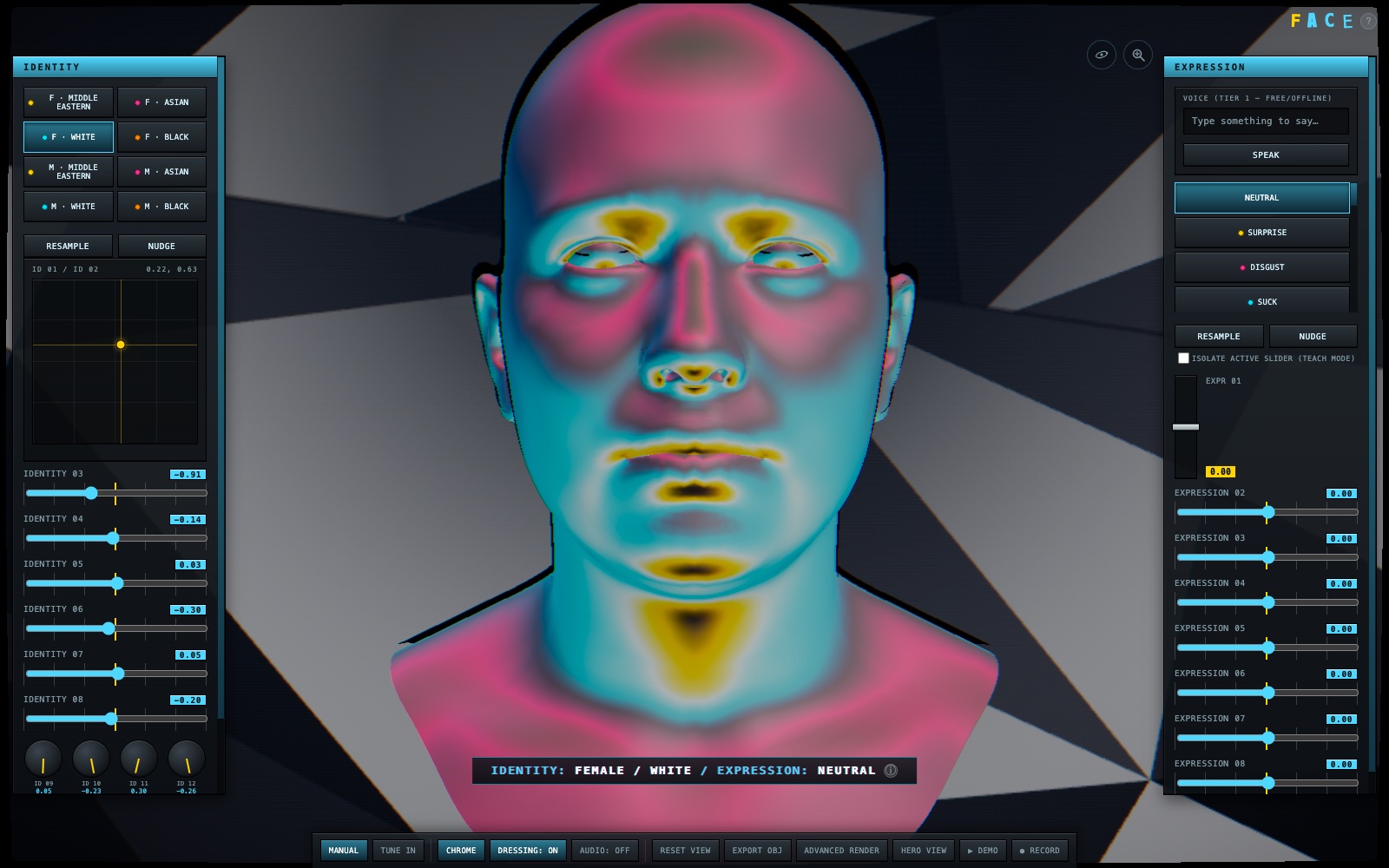
Two panels, twenty-some sliders and dials between them, an XY pad for the pair of components that move the most — an instrument panel out of an earlier decade of computer graphics, one dial per parameter, nothing hidden behind a friendly button doing five things at once. Resample redraws the whole face inside its category, a stranger every time. Nudge doesn't — it takes the exact person on screen and tips the same statistical dice again, gently, and hands back a sibling instead of a stranger. Most face generators only give you the first move.
The glitch is a costume the model wears, not the model itself. Chrome material, chromatic aberration, a tear-cut on every transition, an animated dazzle-camouflage backdrop generated fresh each session — all of it toggles off into a flat, honest, undressed face underneath, because the statistics were always the actual content and the broadcast was always seasoning. The eight identity presets are numbered, not named: the model still samples from its own internal bins underneath, and skin tone draws its own random value independent of which one gets picked, but nothing on screen asks anyone to read a face as standing in for a category.
FACE's evaluator — the matmul, the decoder, the whole live-sampling core — is a shared module other apps in the suite can import rather than re-solve; the first borrower reused it as an anatomical base mesh the same week this shipped.
 live GNM data, not a photo
one dial per parameter
generative dazzle backdrop
live GNM data, not a photo
one dial per parameter
generative dazzle backdrop
Sixteen identity sliders, eight expression sliders, an XY pad, a grid of rotary dials for the rest — deliberately not one friendly "randomize everything" button. The labels are generic on purpose (Identity 07, not a made-up name like "jaw width") because the model itself doesn't hand you clean, disentangled, nameable knobs, and inventing names for numbers nobody's verified would be a lie dressed as a feature.
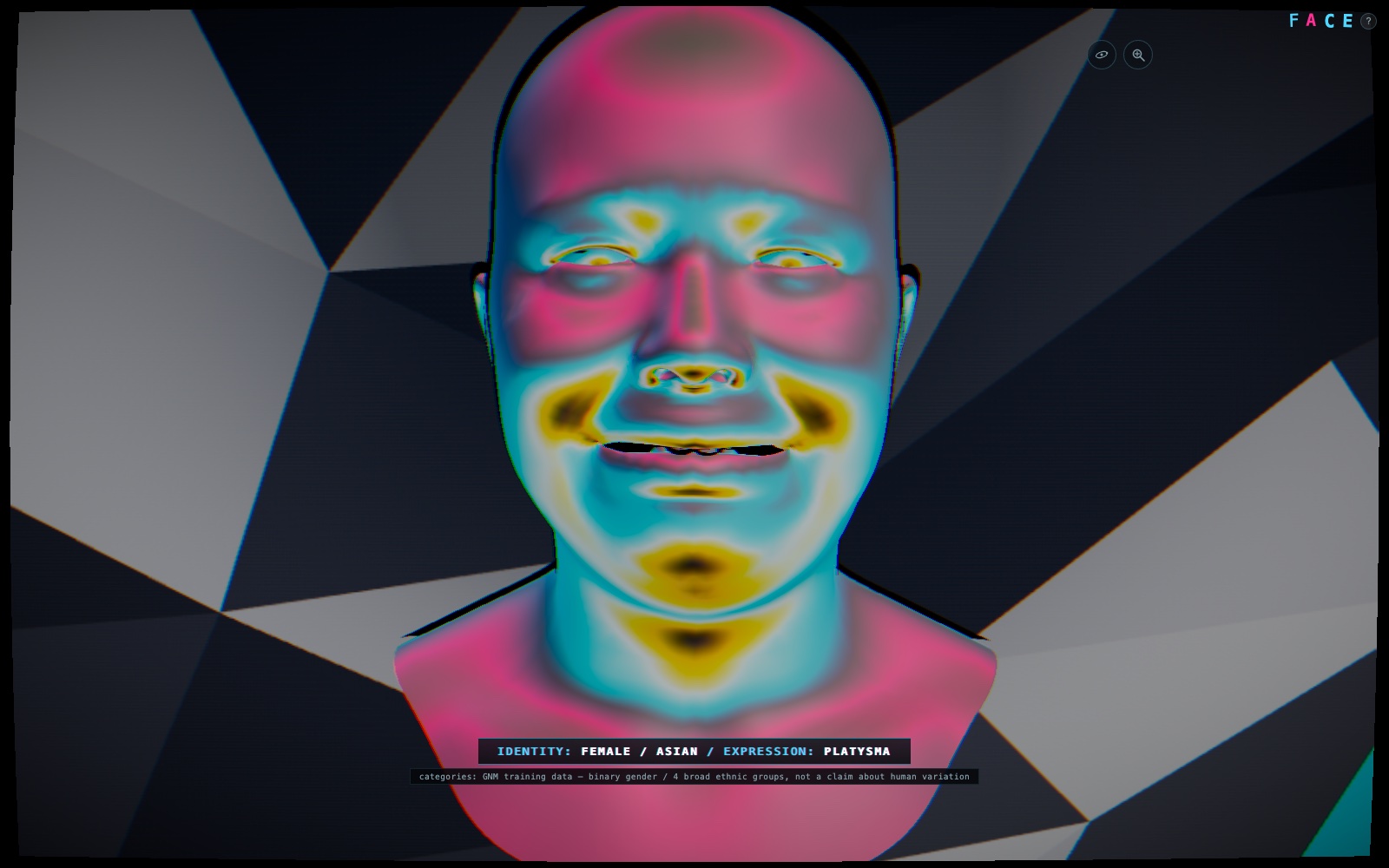
Tune In and the controls disappear; a new identity/expression pair arrives every five to seven seconds, never quite metronomic. Built for a wall, a lobby, a projector nobody's standing next to — which is exactly why the caveat about the model's own training categories stays lit here instead of collapsing into a tap-to-reveal icon. An unattended screen is the one place a hidden disclaimer does nothing at all.
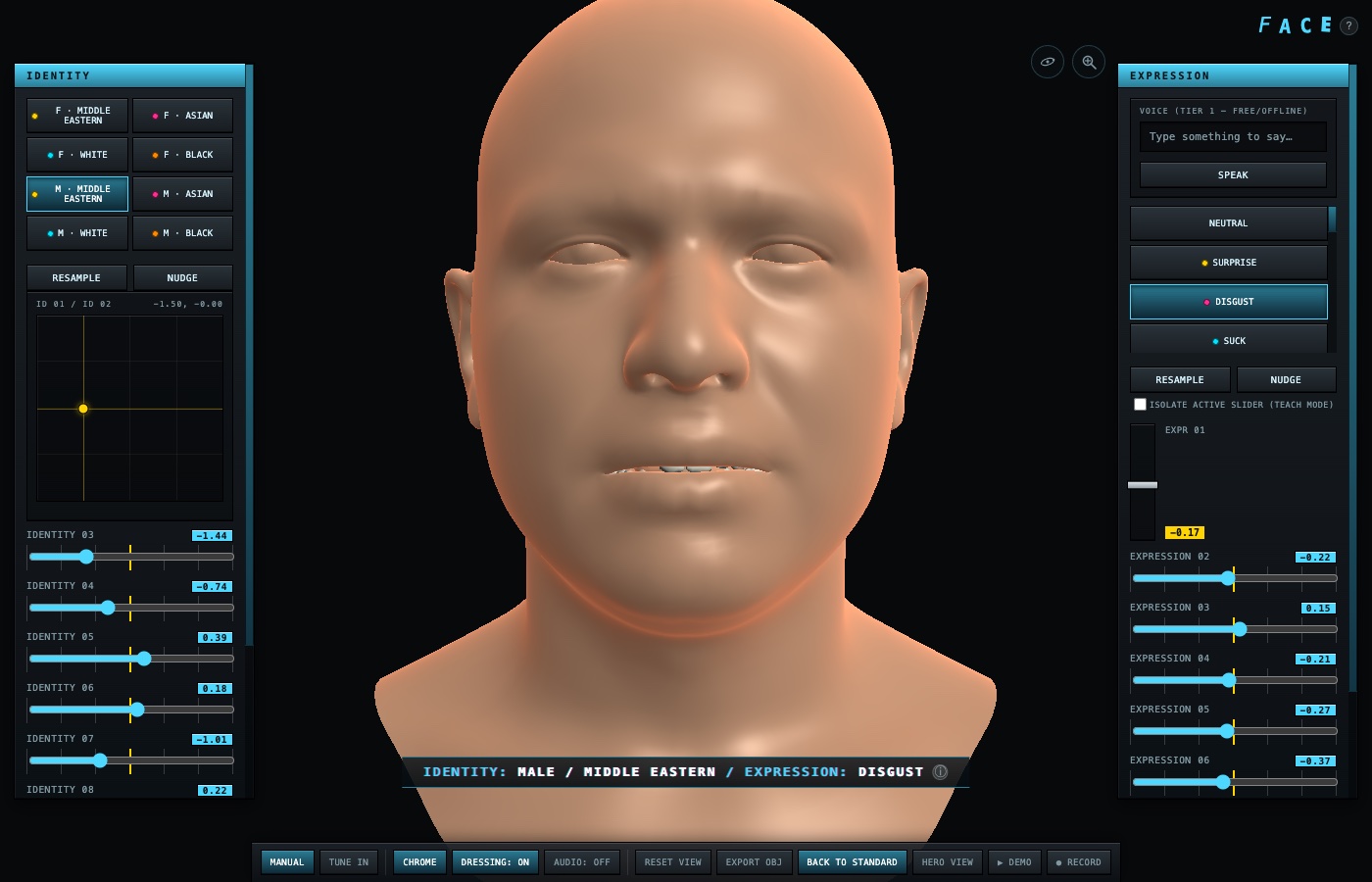
An optional WebGPU tier gives teeth a ceramic tint, sclera a milky white, skin its own translucency — a capability probe with a measured warm-up benchmark decides whether to offer it at all, rather than assuming any device claiming WebGPU can actually run it well. Fails back to the standard render with an honest message instead of a slow, broken-looking mystery.
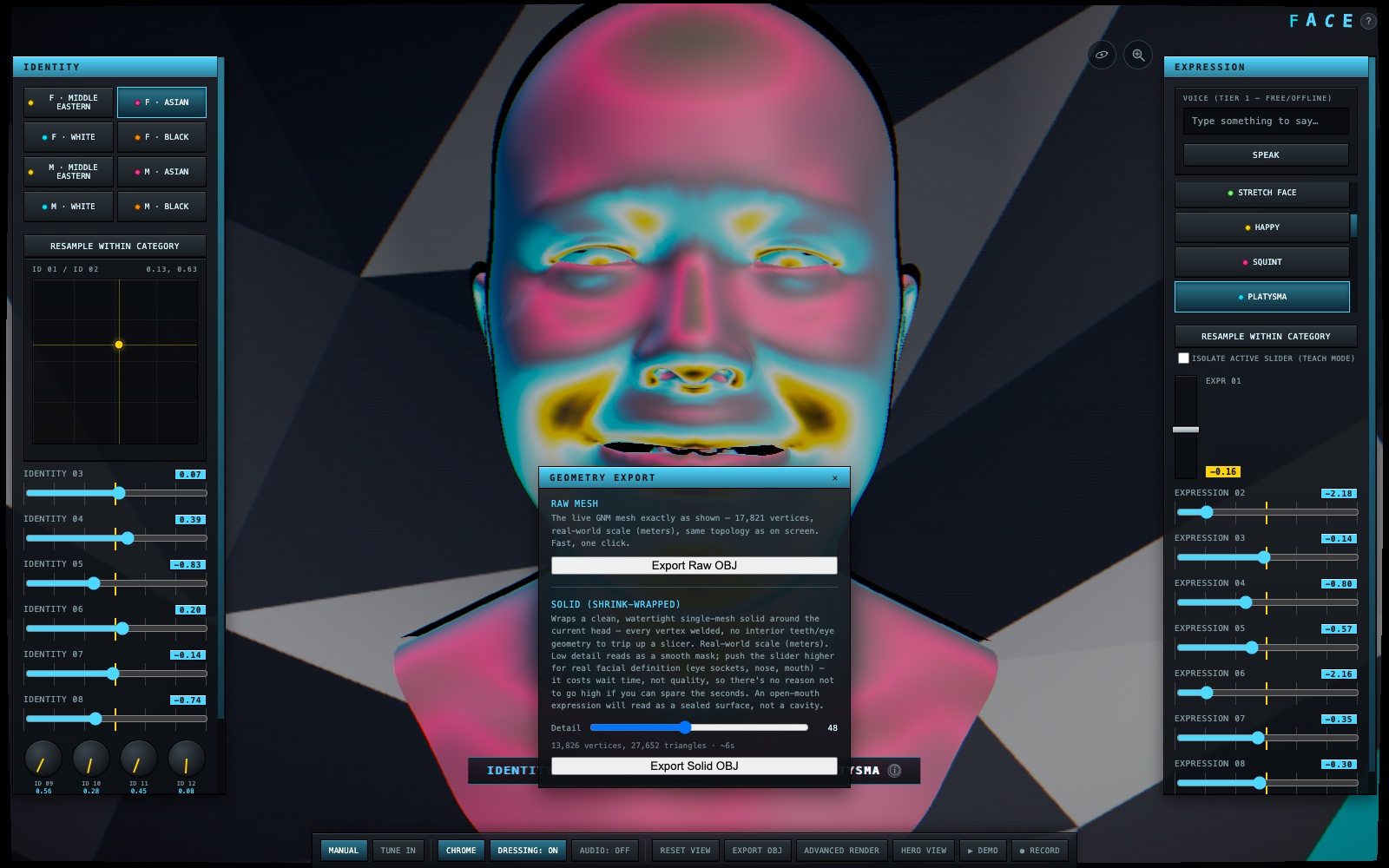
Export the live mesh as-is, or seal it into a single watertight solid — real-world scale, every vertex exactly where the model put it, no interior teeth or eye geometry left dangling for a slicer to trip over. An early version tried wrapping a fresh cage onto the surface instead; a real print file showed that approach smoothing away the face entirely rather than capturing it, so the export finds the mesh's own actual opening and closes it shut instead of resampling anything.
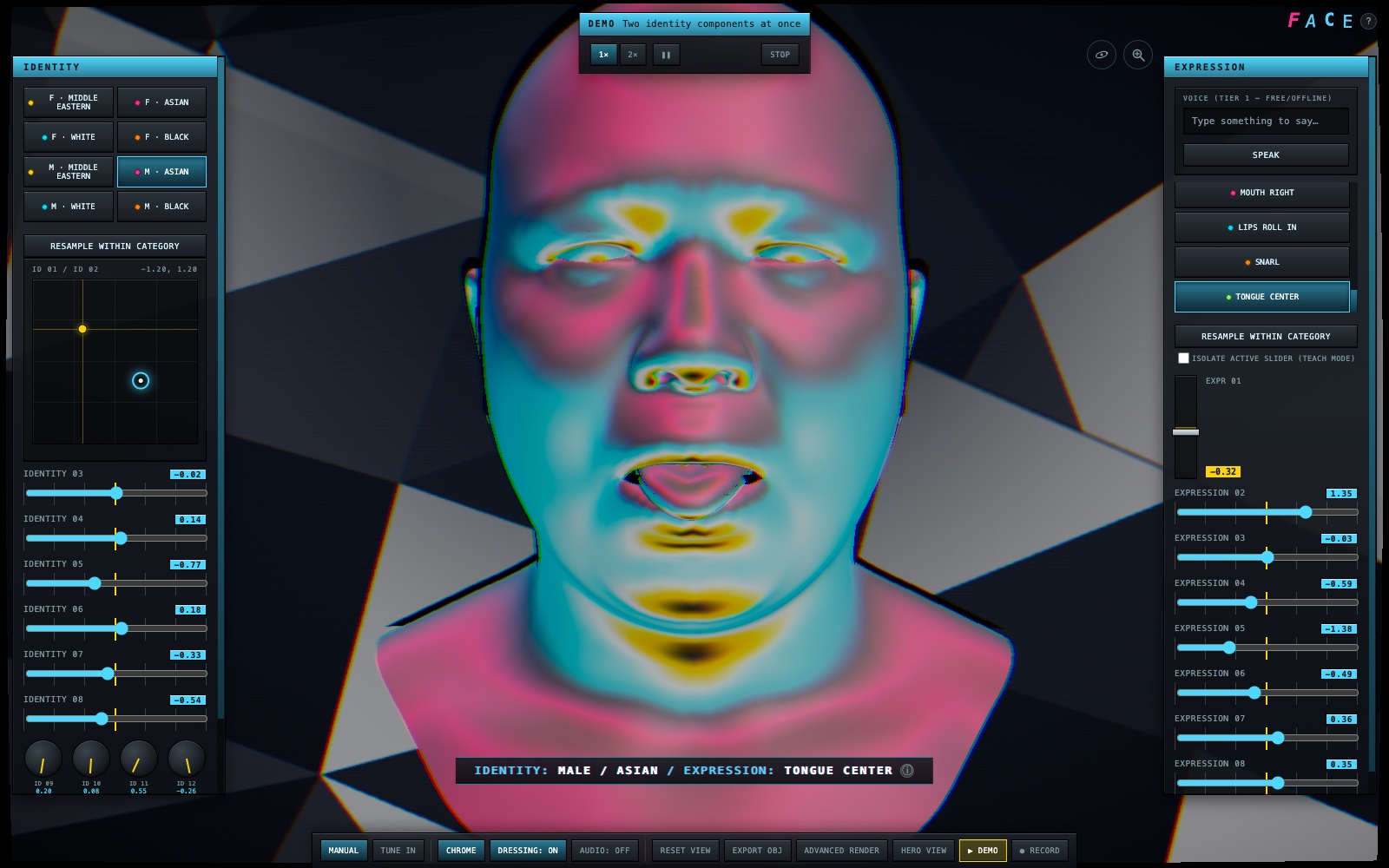
A guided autopilot puppets the actual controls — real drags, real clicks, a visible cursor with a press-flash — instead of playing back a pre-rendered video. Pause it, speed it up, stop it mid-act; it's driving the same app you'd be driving, just without your hands on it.
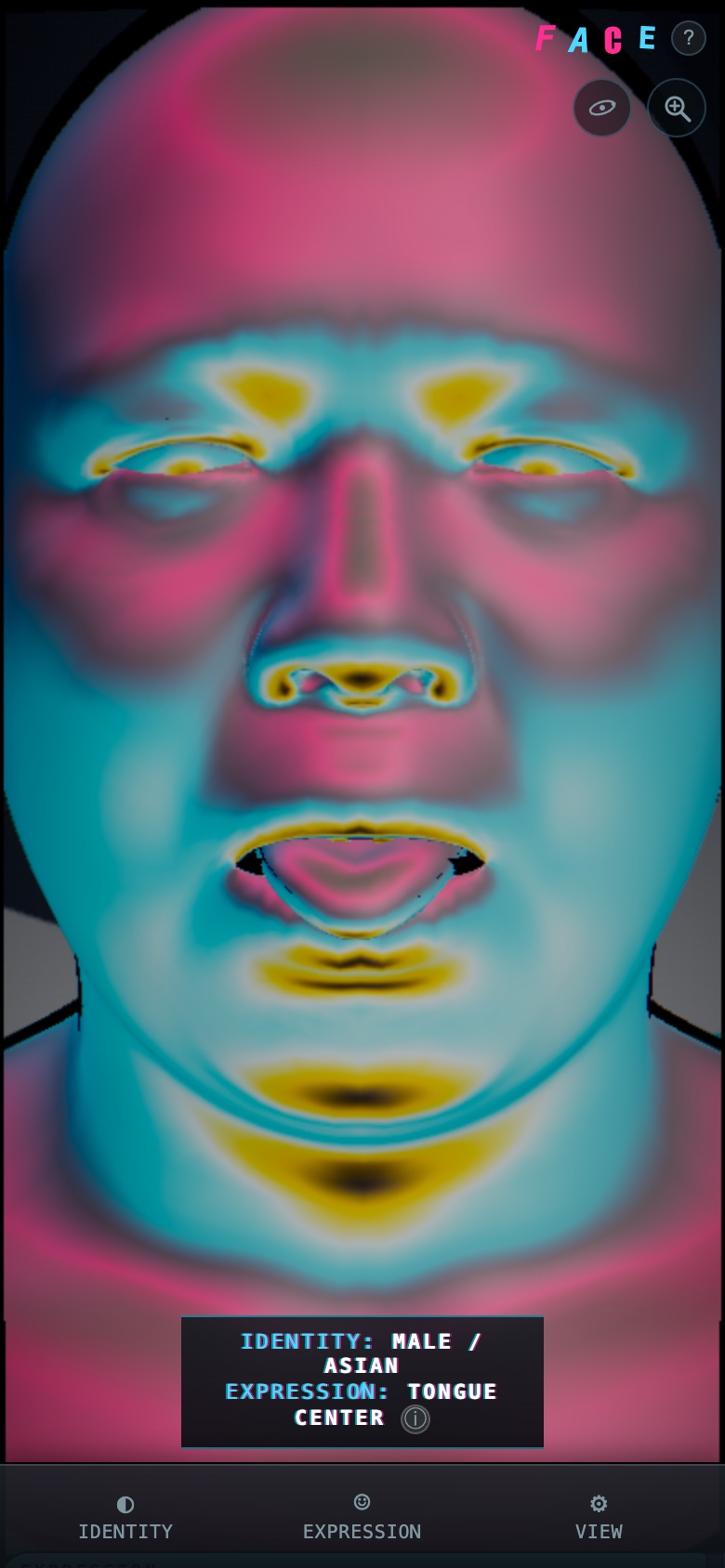
Below a certain width the two side panels collapse into bottom-sheet tabs — Identity, Expression, View — reusing the exact same controls and JavaScript as desktop, not a second parallel interface someone has to remember to keep in sync. Install it to a home screen and the whole thing works with no connection at all.