
A/B and multi-way comparison for images and video
quiet comparisonDrop it in, drag the seam, see what's actually different.
currentv00000-023
Drop two images, two clips, or a small batch of renders and a seam appears between them, draggable by hand. Video plays in sync on both sides. Wipe and blend cover the basic A/B; multi-seam splits up to six at once, side by side; blink flips between them at a rate you set; checkerboard tiles them together at a size you drag; diff heatmap is a real per-pixel readout of what changed, not a guess. Zoom in and drop a loupe to check a detail up close. Nothing here uploads anywhere - it runs against whatever's loaded, in the tab, and stays there.
Cull & Rank is for the bigger pile: load a batch and it runs quick pairwise duels (left, right, or too close to call) converging on a ranked order using the same rating math a chess tournament uses to seed itself, far fewer comparisons than sorting a grid of near-duplicates by eye. Tinct, a separate wing, needs no photos at all: it generates color palettes across a range of harmony families and historical registers, renders them into honest contexts instead of bare swatch strips, and blind-tests them the same pairwise way. A winning palette can hand itself straight back to Rendre's material editor.
Sweep the seam and export it as an actual video - the kind of thing that belongs in a crit deck, not a folder of loose stills - or everything as a zip. And save the whole session as one small .juxt file: every image loaded, the mode, the ranking, an optional note about what to look at. Drop it back into Juxt later, or hand it to someone else entirely - a student can turn one in, and an instructor opens it in Juxt and sees exactly what was being compared and why.
Juxt grew up alongside Rendre, a render queue can hand its output straight in, but it takes anything, from anywhere, and stands on its own.
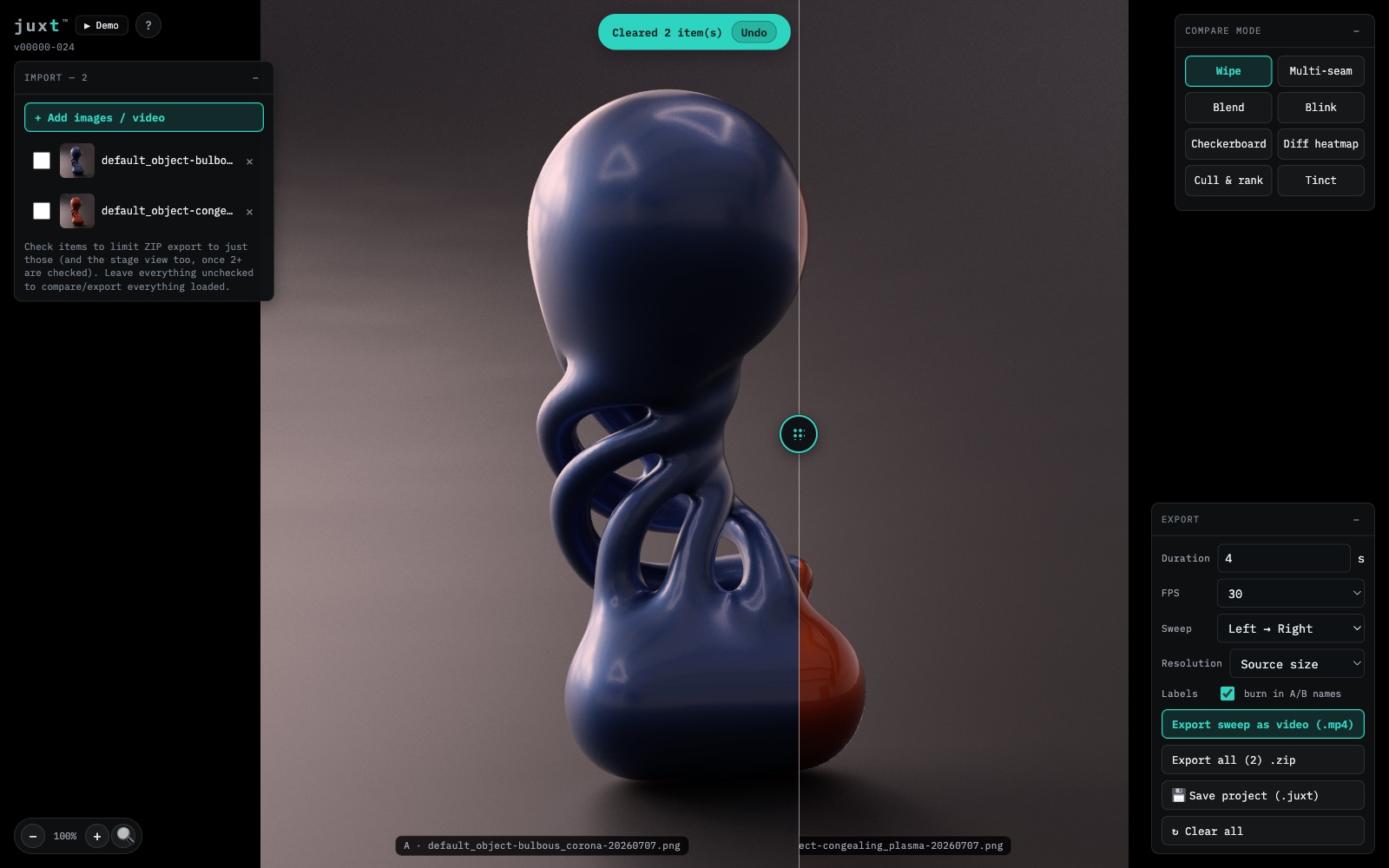
Two renders, one seam, drag it wherever you want the line to fall. Underneath it’s the same test object - Rendre’s own default form - in two different material finishes, so the wipe shows exactly what changed and nothing else. No hairline to hunt for, no holding the other version in your memory while you squint. You grab the handle and look.
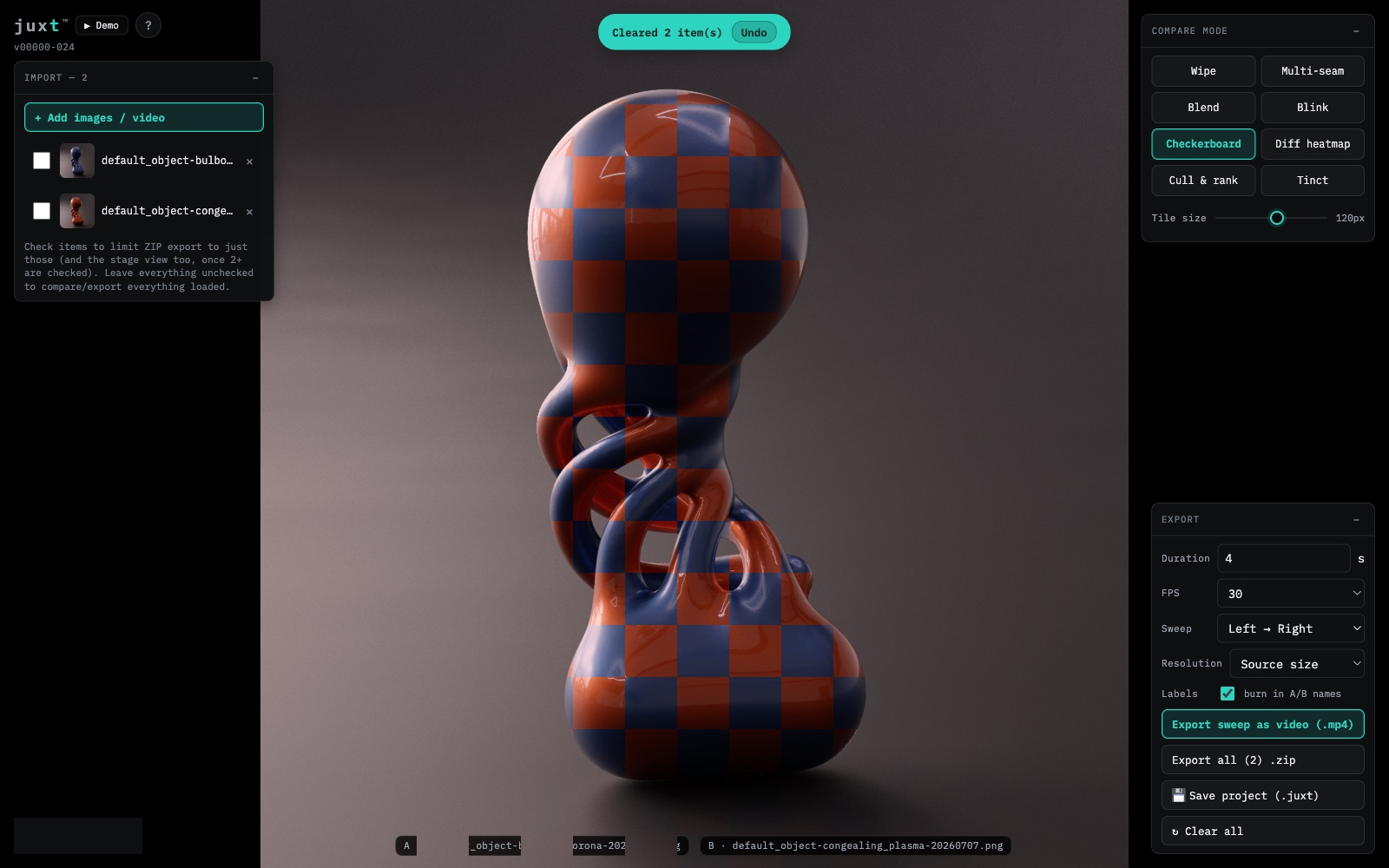
Checkerboard swaps tiles between two images instead of splitting them down a seam - a darkroom trick before it was a CSS trick. Drag the tile-size slider up and coarse squares show you which broad regions came from which version; drag it down and the squares get fine enough that it starts reading almost like a blend. On a pair like this one, the tile pattern makes a material swap plain even where the geometry itself never moves.
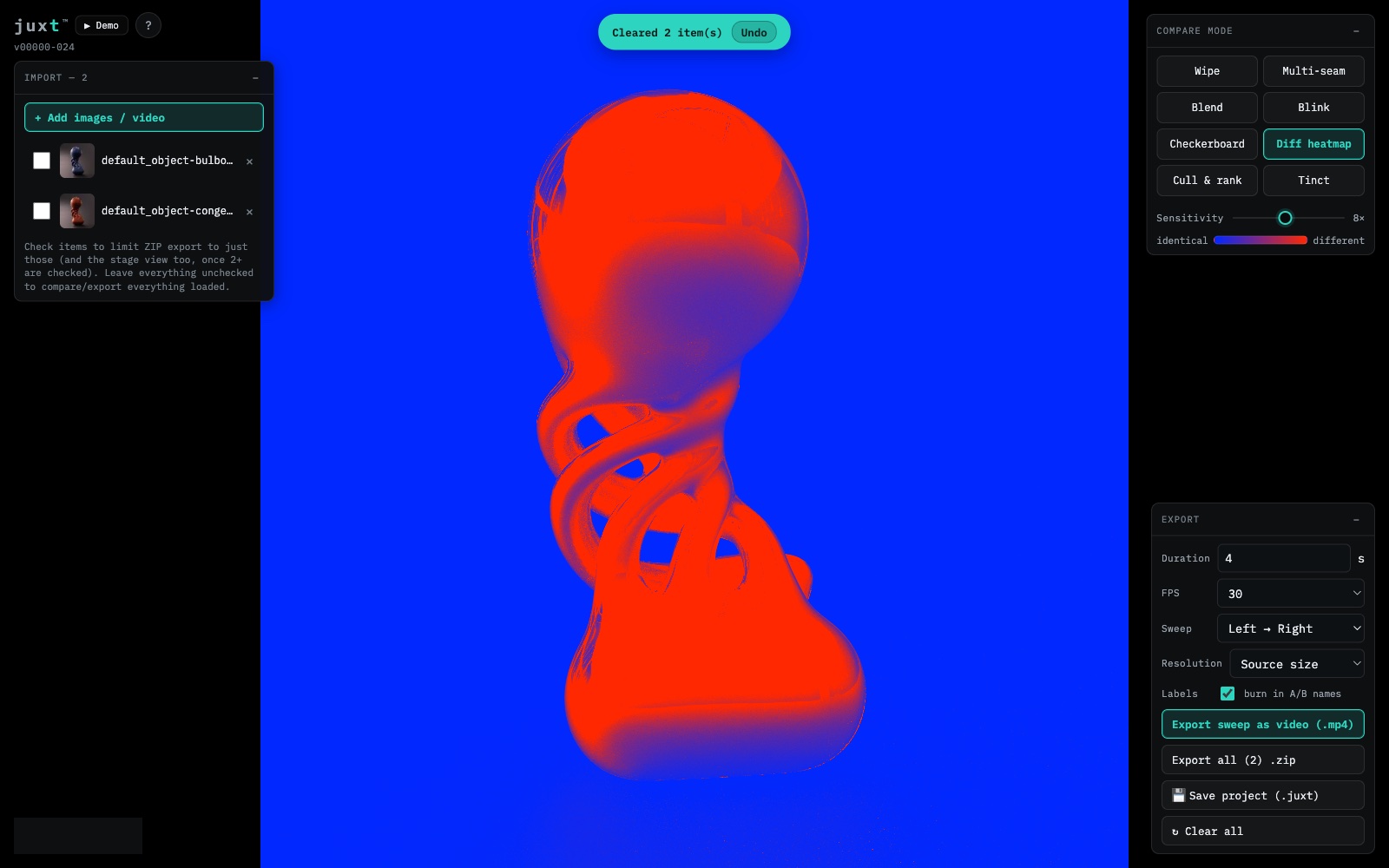
Diff heatmap reads every pixel and false-colors the difference blue to red, legend included so you know which end means identical. Push the sensitivity slider up and even a same-shape, different-finish pair like this one lights up the whole silhouette red - proof a material swap touched nearly every pixel, not just a stray reflection, without you flipping between two windows to be sure.
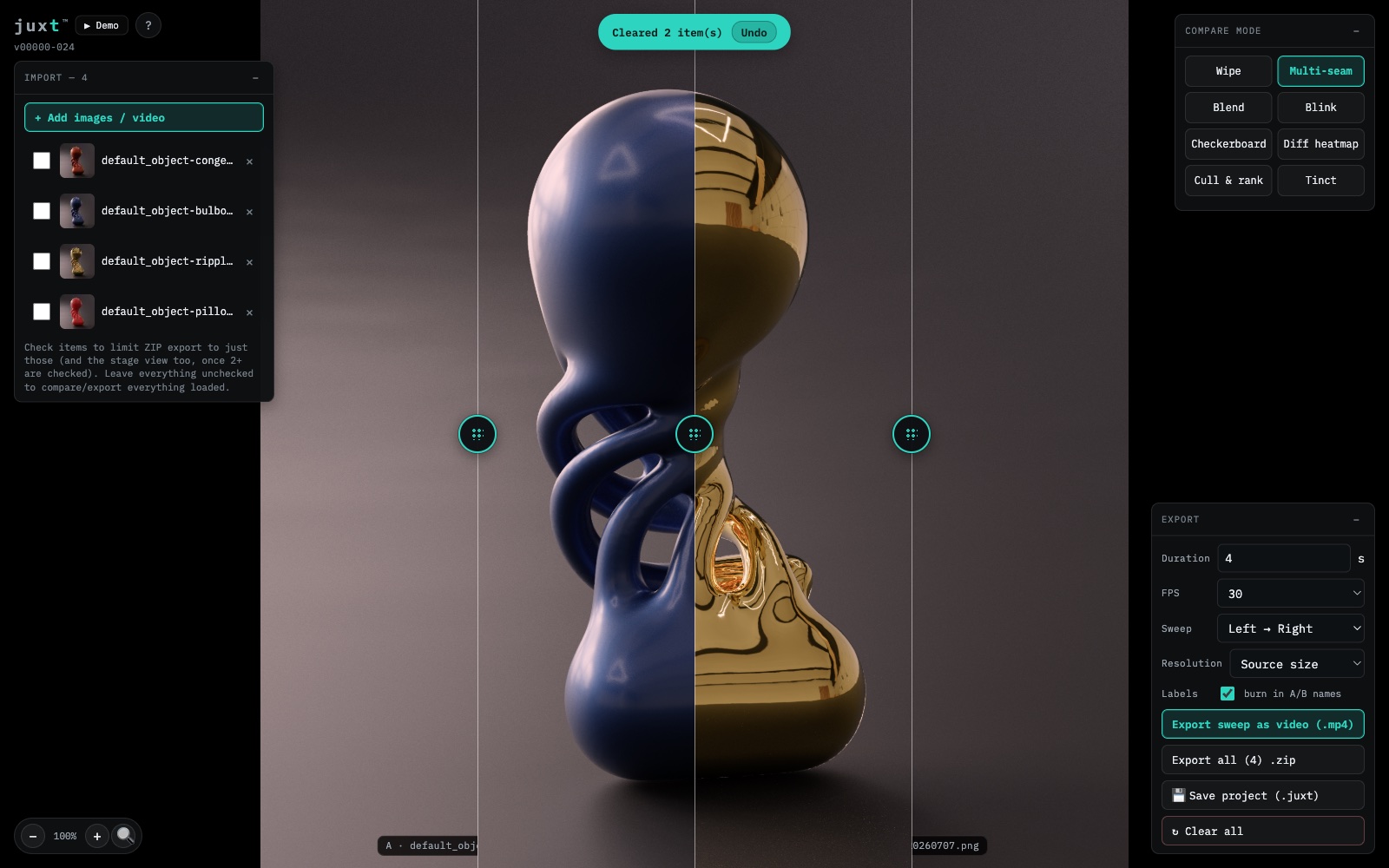
Two images was never really enough, so multi-seam splits the stage into up to six strips, a seam between each. Load four material passes off the same render and the seams line up the geometry exactly while the finish jumps (navy on one side of a seam, chrome gold on the other), readable at a glance instead of clicking through four tabs one at a time. Nothing else does this, mostly because nobody else needed to.
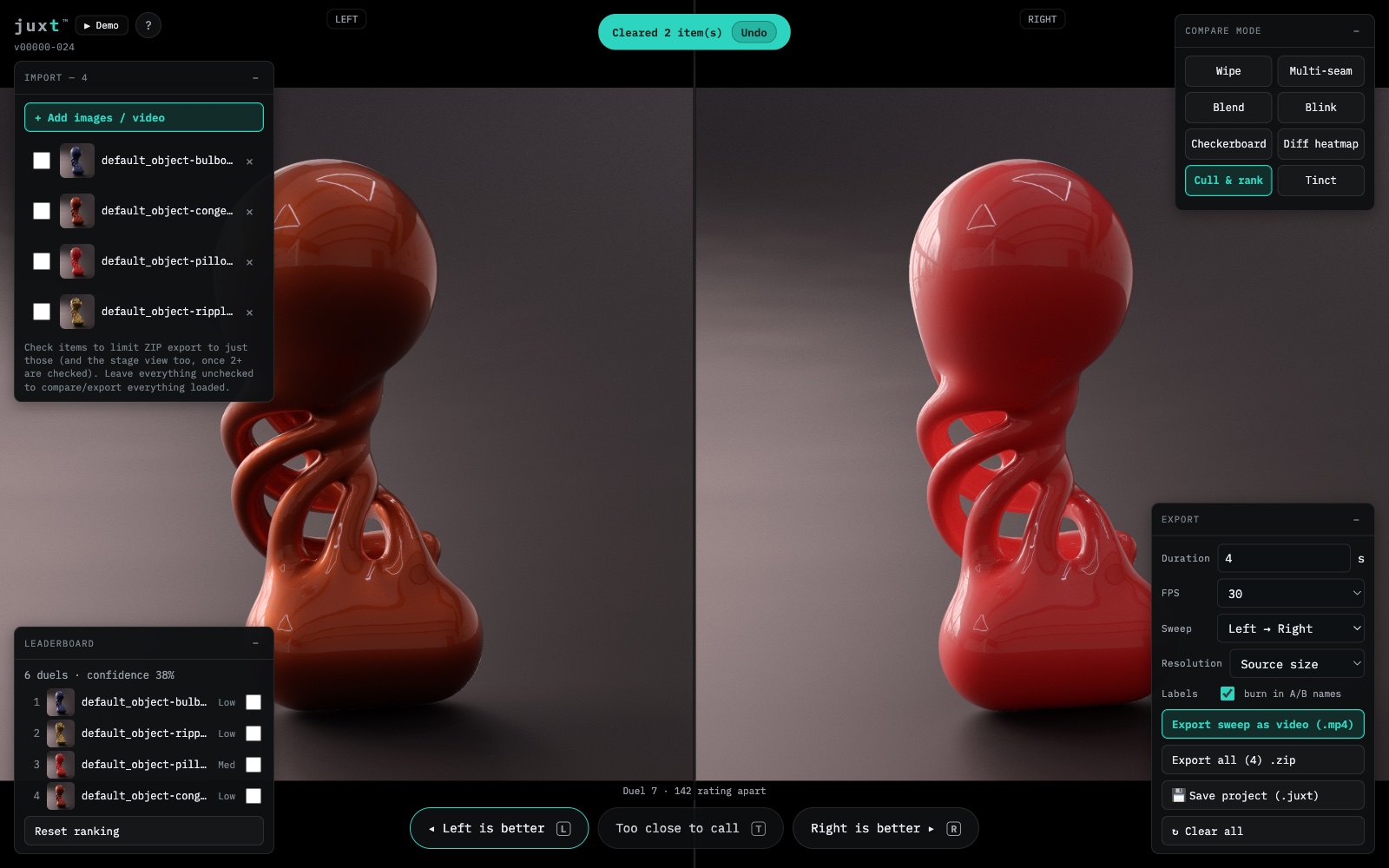
Cull & Rank is for when you have more renders than opinions. Load a batch and instead of holding all of it in your head at once, Juxt shows you two - left, right, or too close to call. Each pick tightens a rating, the next pair gets chosen on purpose rather than at random, and a small stack settles into an order in a handful of duels instead of a full round robin. Flip-flop on a close call and the math just reads it as genuine uncertainty, which is fair.
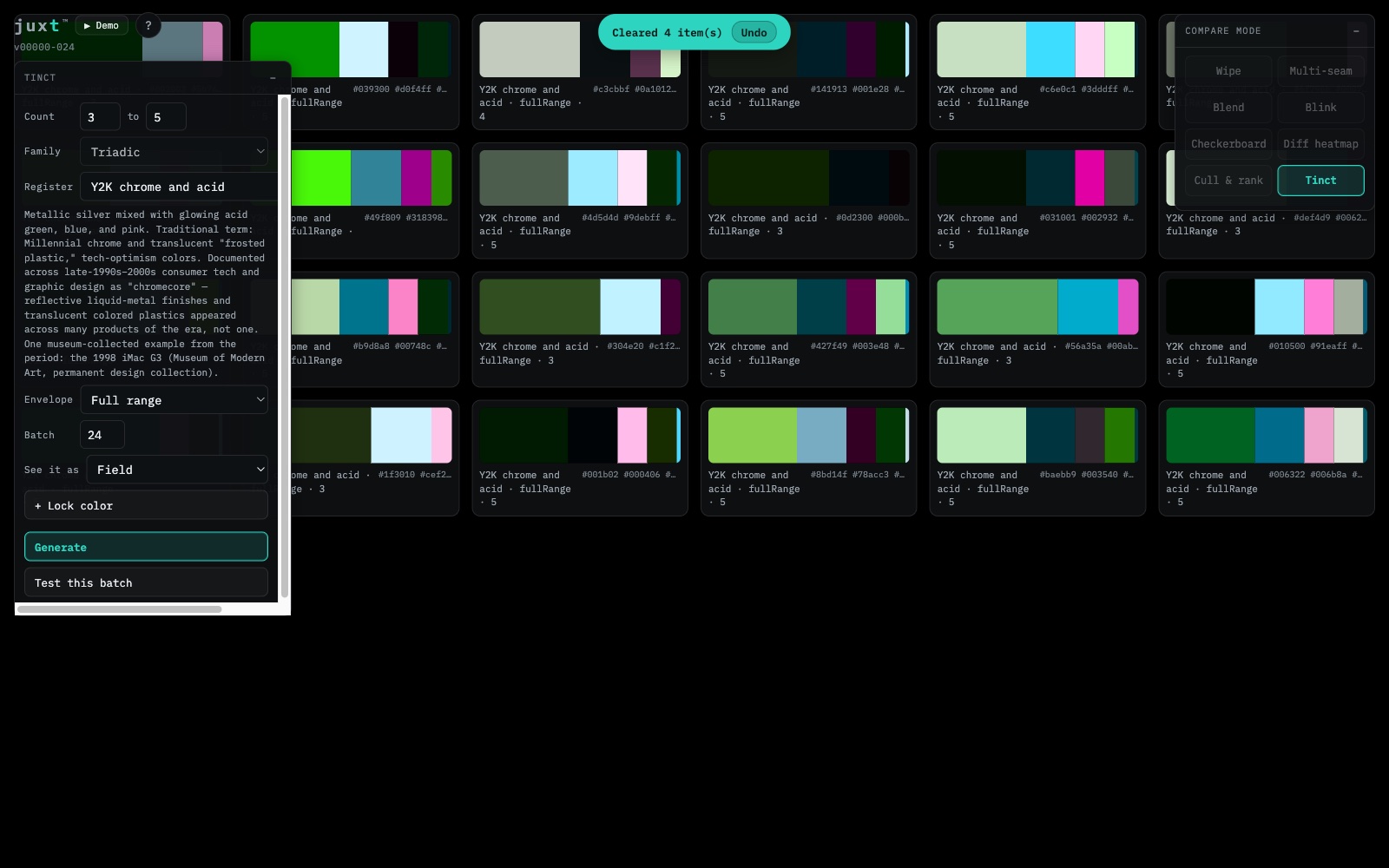
Tinct doesn’t need a single photo loaded - it generates its own color batches, whole spreads instead of a handful of near-twin hues. Choose a harmony family, a register if you want a real historical period leaning through the result, how many colors, and it lays out two dozen swatch groups at once, ready to open one bigger or send to a blind test. It lives behind its own button and answers a different question than the rest of Juxt: not which render is better, which color story is.