SpeedCap app icon

SpeedCap

motorik

A screen recorder that lives in the menu bar. Time-lapse, or real time with sound.
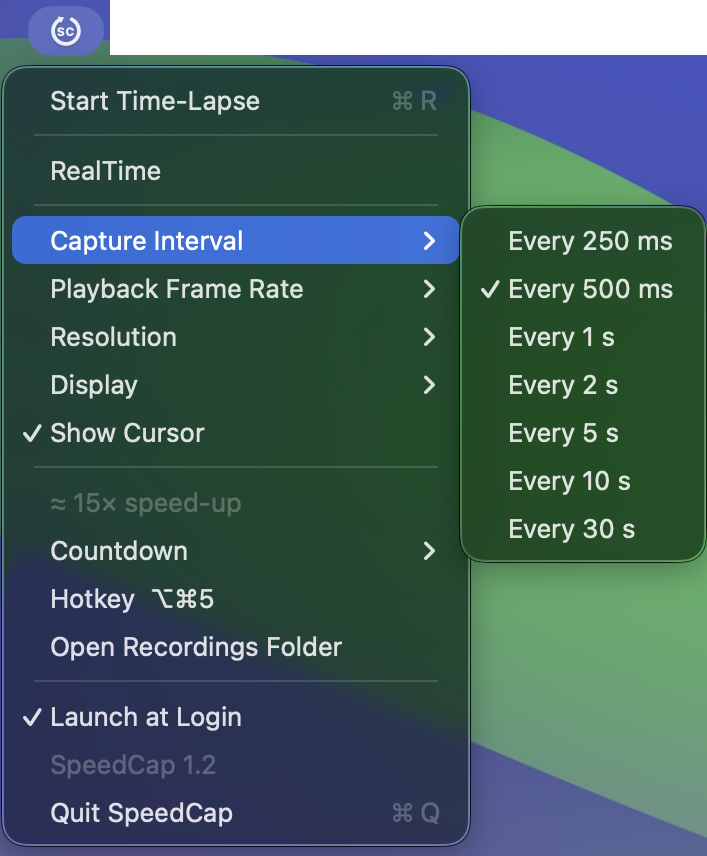
SpeedCap menu open in the macOS menu bar, showing Start Time-Lapse, the RealTime toggle, and the Capture Interval submenu with intervals from 250 ms to 30 s

Two modes behind one menu. Time-lapse samples the screen on an interval and collapses an afternoon into a few seconds. RealTime switches that off and records at full speed with audio - system audio, a microphone, or both mixed into one track. QuickTime cannot record system audio at all.

  • Time-lapse250 ms to 30 s intervals, 12 to 60 fps playback, H.264 MP4.
  • RealTime30 or 60 fps HEVC, written to .mov.
  • AudioSystem audio and any input device on the machine. One stereo track, nothing to mix afterwards.
  • CaptureAny display, at full, 75, 50 or 25 percent. Cursor optional. Click rings optional.
  • StartingA countdown before capture opens, so you are not recording the menu you started from.
  • OutputStraight to the Desktop, or a folder you pick.
  • FootprintMenu bar only. No Dock icon, no window, no account.
SpeedCap app icon

SpeedCap v1.2

Download for Mac
Download size: 429 KB
Requires: macOS 15.0 or later, Apple silicon
Permissions: Screen Recording, and Microphone if you record one
Privacy: Nothing leaves the machine. Recordings are files on your disk.
Signed and notarized by Apple Developer Program.