
A focused CNC carving front-end. Mesh in, gcode out, everything else hidden. swarf is how an intro student shop floor should feel on a screen - “real” material finishes, mill-red light-ribbons that trace every pass, and a workflow reduced to five verbs.
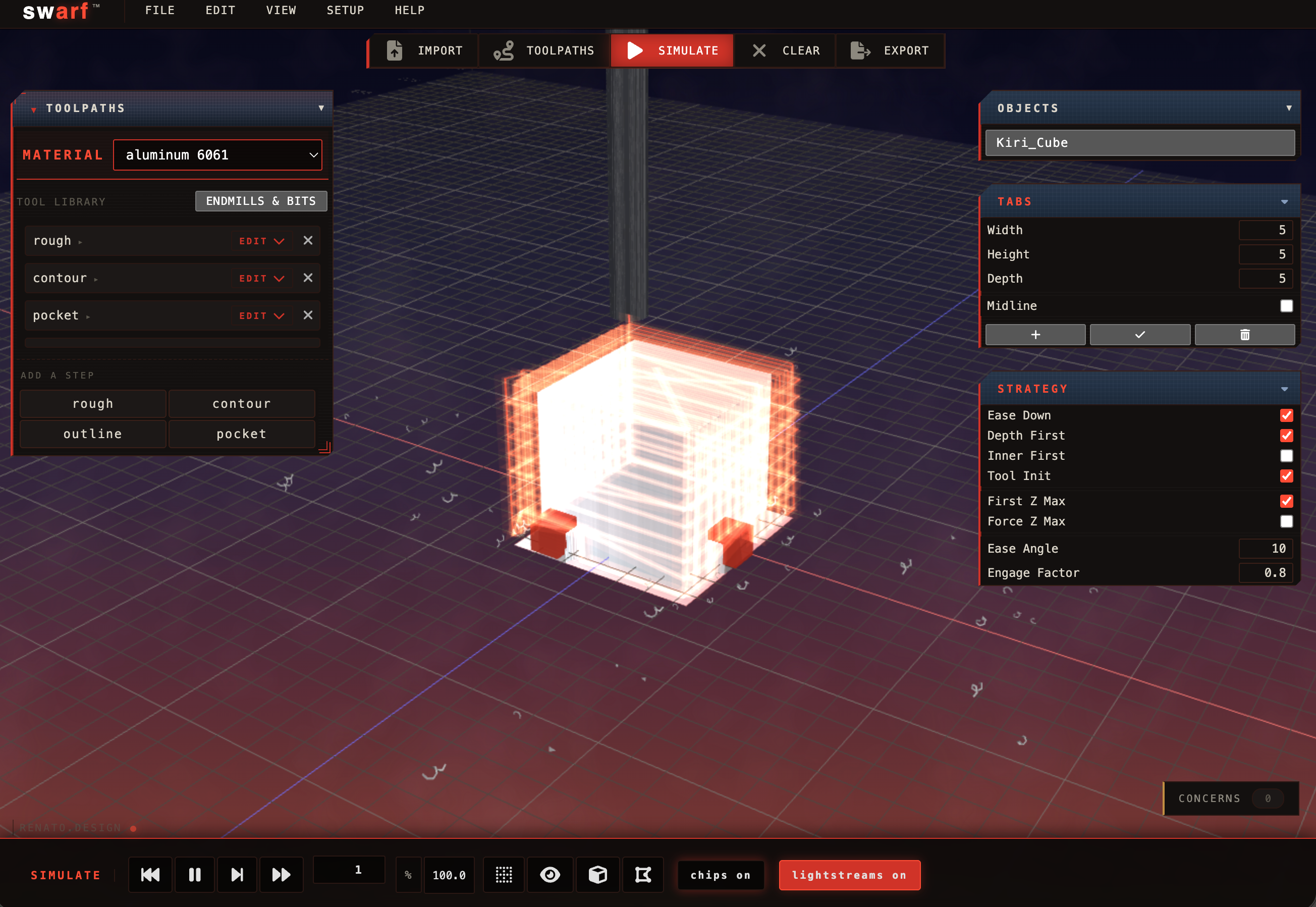
swarf is a CNC carving interface built on top of Kiri:Moto, re-conceived for design classrooms, designers, and anybody who wants to hand a computer an STL and get back a file their mill can actually cut with as few options as possible shown. The name is the noun - the curls of material you sweep off the shop floor. This is in its day-two state, so come back for more.
Import. Toolpaths. Simulate. Clear. Export. That's the whole top bar. Every other setting is a choice you make inside one of the five, not a tab you have to hunt through.
Import reads an STL or OBJ. Toolpaths generates and previews the cut in one click - until that button is hit, the scene shows only the stock; the moment it is, glowing red ribbons light up across the part. Simulate runs the tool along those ribbons in real time, throwing chips that settle on the platform. Clear unwinds everything back to the arrange state. Export writes gcode. Currently set up to run on the Langmuir MR-1 and ShopBot only, more in advanced settings soon - from KM stock.
swarf's toolpath visualization is a flat ribbon of mill-red light that lies on the surface of the cut. Width scales with the stepover - a big pass leaves a wide glow, a fine finishing pass leaves a narrow one. The paths pre-populate on Toolpaths so you see the full plan at a glance; Simulate then traces them. Kiri's default yellow-wire paths can be toggled on alongside, off, or either alone.
Aluminum 6061, brass, mild steel. Acrylic, polycarbonate, HDPE. MDF, hard wood, machining wax, rigid foam. Each one looks like what it is - brushed aluminum catches the shop light, hardwood shows grain, foam reads as foam. And each one cuts like what it is: aluminum throws curls, foam throws flake, hardwood throws long shavings. The chips tint to match the stock they came from. Picking one also loads a feed, spindle speed, step-down and ramp angle for the tool in hand - conservative values for HSS tooling, slow enough to survive a first cut. This is all a starting point - students should edit to suit what they need.
Most CAM is written by engineers for engineers. That’s fine - our inherited math is real, the feeds and speeds are real decent defaults. Kiri:Moto is amazing, but students still stumble into the areas that will break their parts, our machines. So swarf for falling in love with machining, KM for getting to all the good stuff.
Simulate. The tool cuts through aluminum, lightstreams trace every pass, chips pile up on the platform. The whole picture.
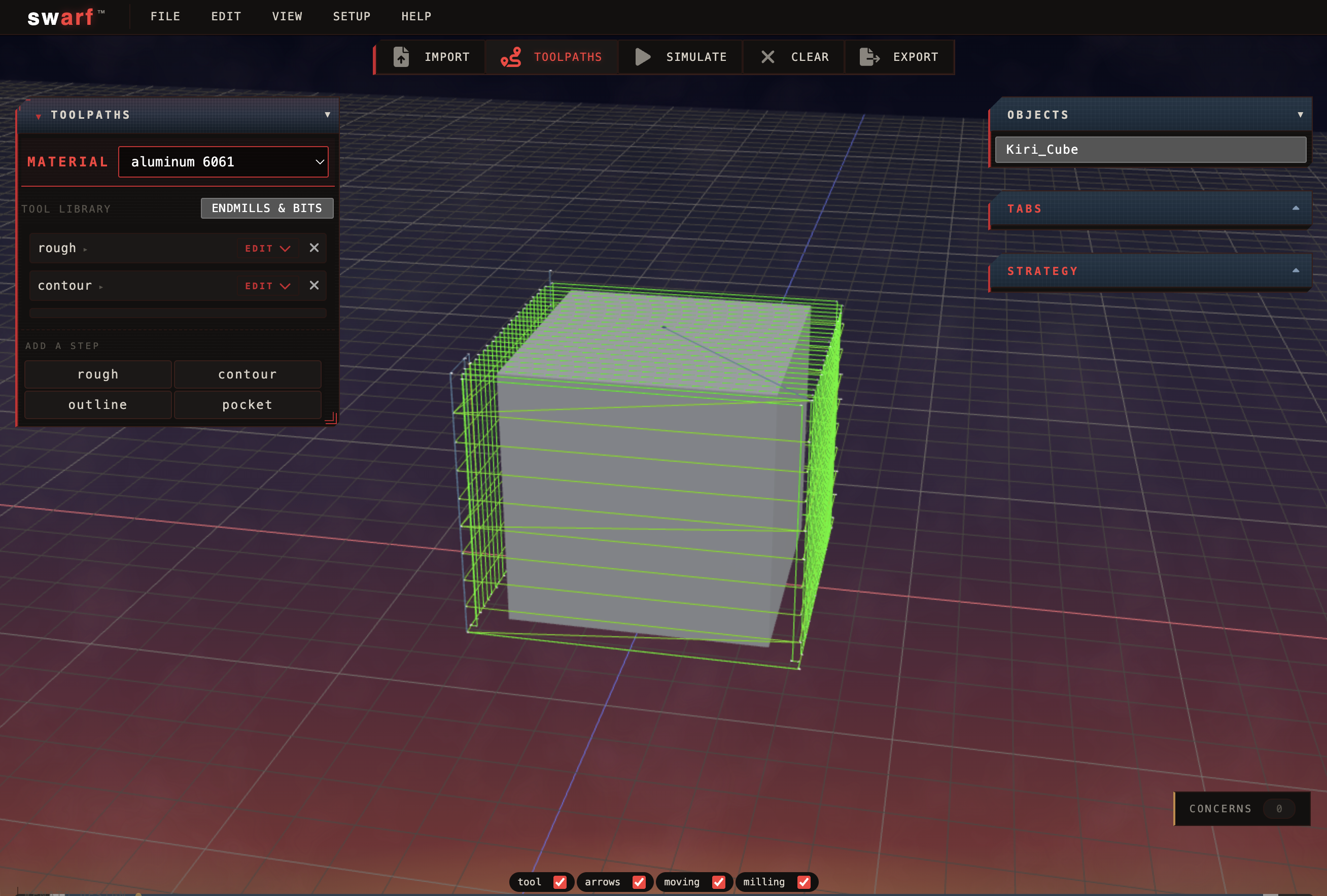
Toolpaths. The wire paths wrap the part the moment you click the button. Rough and contour queued, aluminum selected.
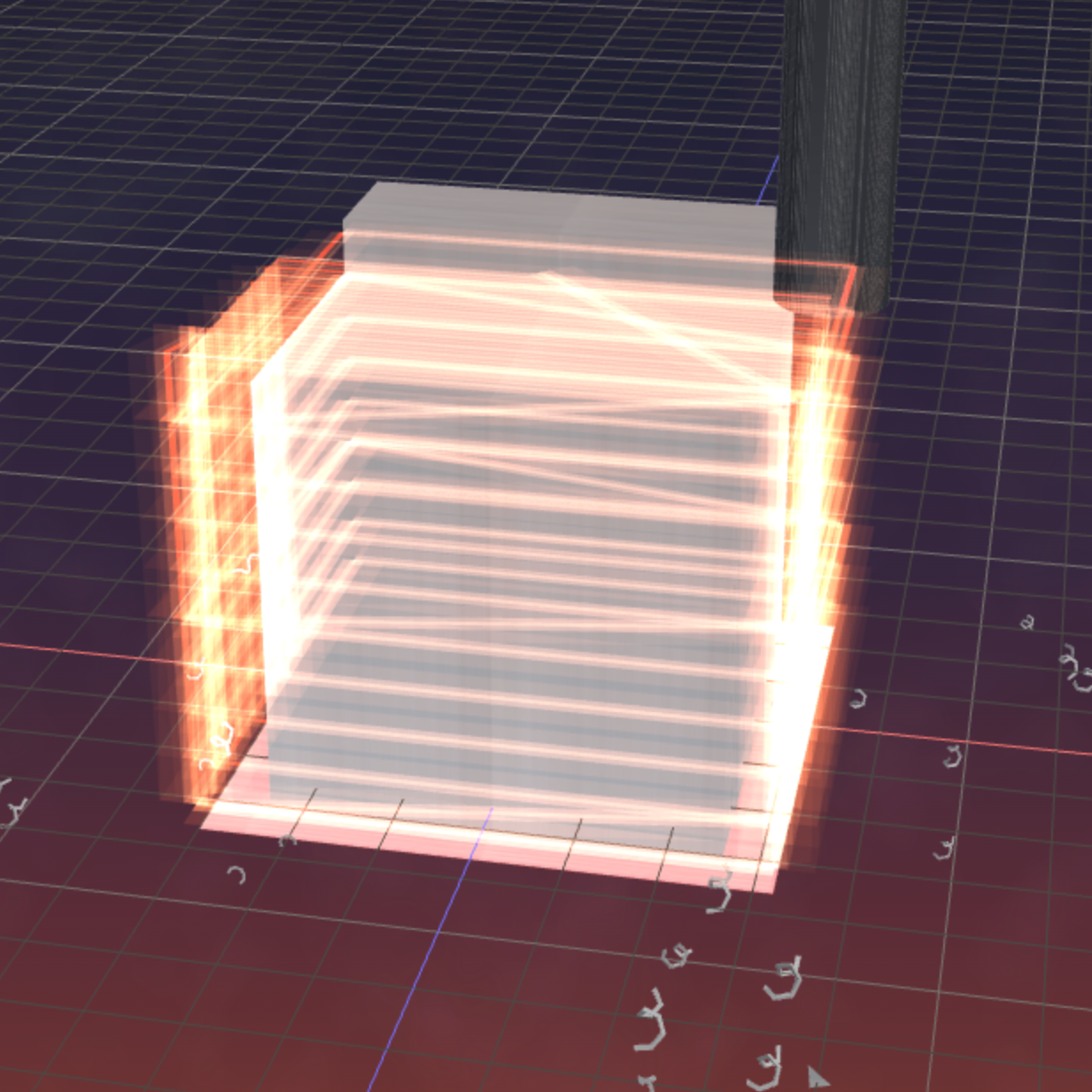
Lightstreams. The ribbons glow where the tool has been. Wider ribbon means wider stepover. That’s it.
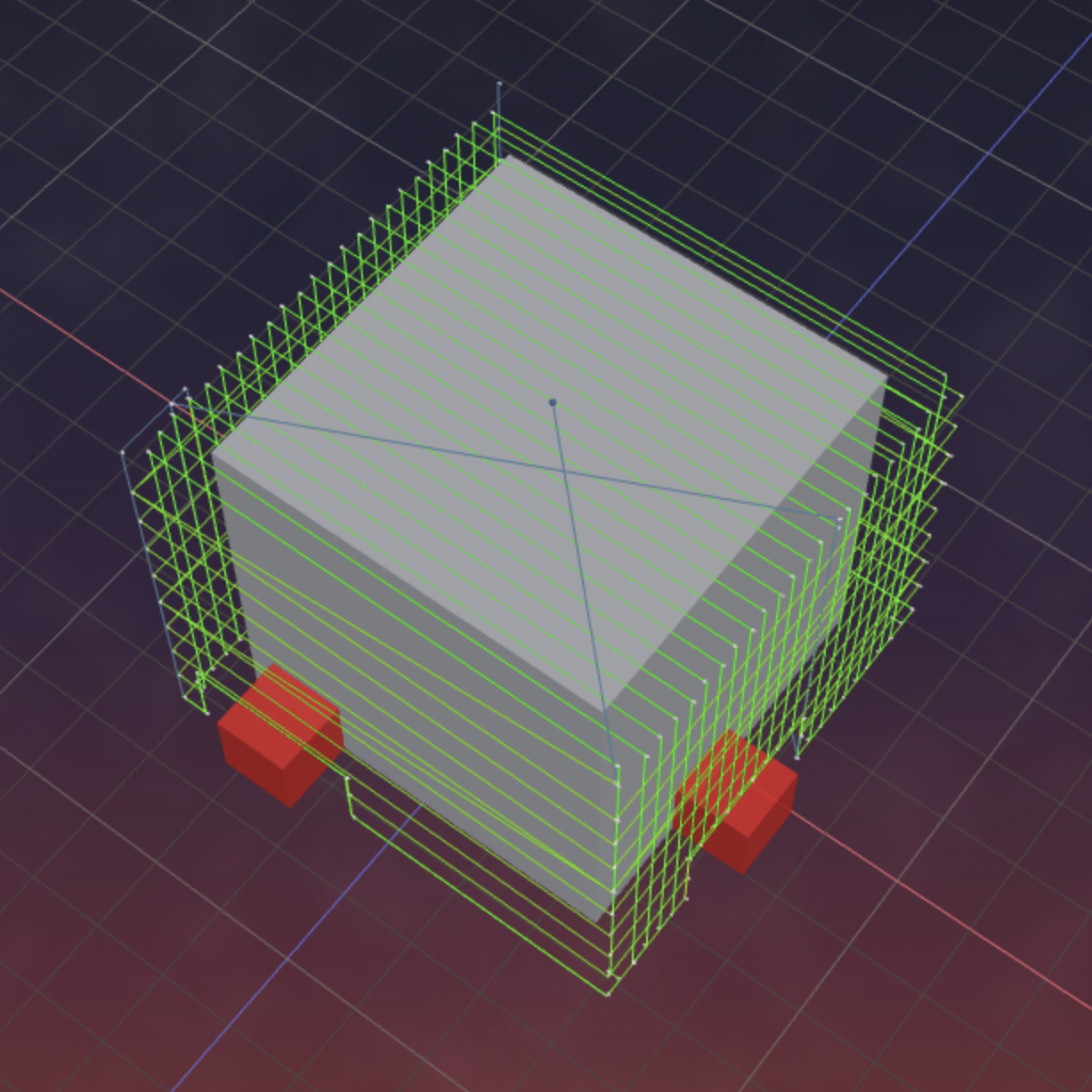
Preview. Wire paths wrap the part. Red tabs hold it in place during the outline cut.
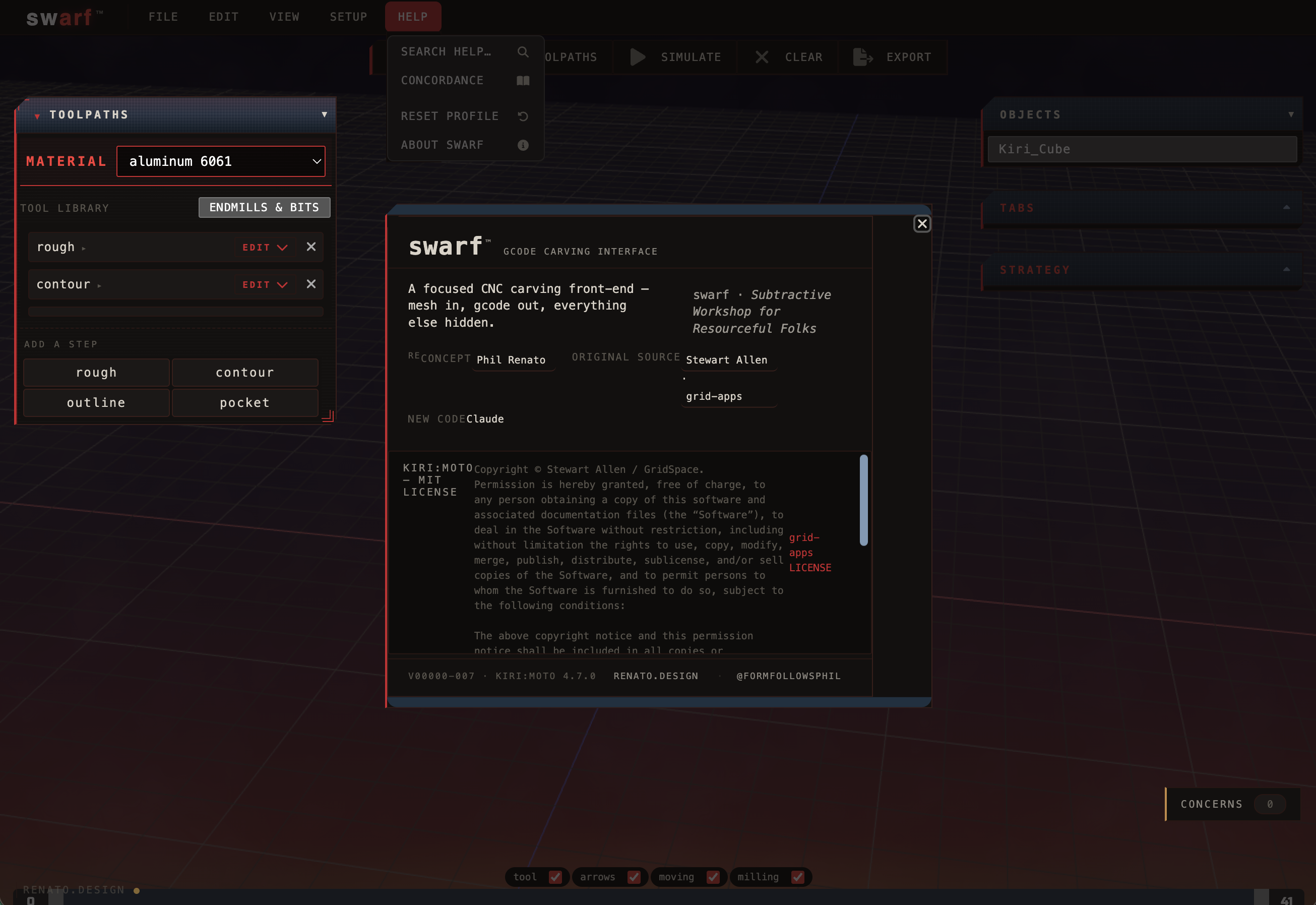
About. Full attribution - Stewart Allen’s Kiri:Moto MIT license in its entirety. Help menu above with search, concordance, and factory reset.
swarf is a fork of Kiri:Moto - Stewart Allen’s open-source slicer/CAM that does the real work of turning meshes into toolpaths. The fork ships Kiri’s MIT license verbatim in its About panel. The visualization layer, the workflow collapse, the material system, and the light-ribbons are additions; the CAM engine is Kiri. The source is out.
Visual references: digital sci fi and Italian machine tools.
swarf is the workshop end of CNC milling at renato.design. The library end is ForMatter - a citable reference for materials, processes, applications, and finishes, with CNC milling as one of dozens of peer process entries. Where swarf takes an STL and gives back verified G-code, ForMatter takes a material name and gives back the trade-offs, the museum holdings, and the voices that have written about it. Same lineage Maudslay’s slide rest descends from; different end of the bench.